
NFC Enable
Updated Aug 24, 2026 · v1.0.12
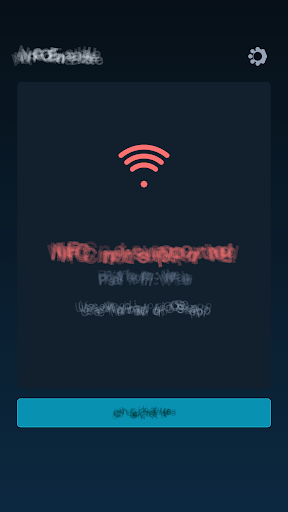


Check NFC status, open settings, scan NDEF tags.
NFC Enable is a focused utility for checking Near Field Communication on your phone and reading simple NDEF tags. Open the app, confirm whether NFC hardware is present, see whether NFC is turned on, and jump straight into system settings when you need to flip the switch. When NFC is ready, scan a tag and read plain text from NDEF records without leaving the Canvas screen. CHECK HARDWARE AND POWER STATE Phones differ. Some ship with NFC radios; others do not. NFC Enable asks the native layer for a clear answer: supported or not, enabled or disabled. The status panel uses color cues so you can tell at a glance whether you are ready to scan, need to open Settings, or are on a device without NFC. A short message explains the current state in plain language instead of burying you in technical jargon. OPEN SYSTEM NFC SETTINGS When NFC is supported but turned off, one tap opens the system NFC settings screen on Android (and the matching path on iOS where available). You do not hunt through nested menus yourself. After you enable NFC, return to the app and tap Check status again to refresh the panel. The utility stays out of the way of the OS — it never pretends to force NFC on without your permission. SCAN NDEF TAGS With NFC enabled, tap Scan tag and hold a compatible tag near the device. The app reads NDEF text records when present and shows the result in the status message. Scanning uses the platform reader mode on Android and Core NFC on supported iPhones. Empty tags and non-text records are reported clearly so you know the tag was seen even when there is no readable string. WEB AND NATIVE On the web, Chrome on Android can use Web NFC where the browser allows it. Other browsers show an honest compatibility note and point you to the native apps for full status checks and scanning. The Android and iOS builds expose the same Canvas UI with a native bridge, so the layout you see in marketing matches the product. SPLASH, SETTINGS, AND LANGUAGES A short splash with a progress bar leads to Start. From the main screen, the gear opens Settings for language and sound effects. Interface text ships in eight languages: English, Vietnamese, Traditional Chinese, Simplified Chinese, Japanese, Spanish, Hindi, and French. Sound effects are optional taps; there is no background music track. Android system Back closes language menus and Settings before leaving the app. ADS AND PRIVACY-MINDED CADENCE The Android build may show interstitial ads after a timed gate and after meaningful actions such as checking status or completing a scan. The gate resets after each show so ads do not interrupt every tap. Camera or unrelated sensors are not required for NFC checks. WHO IT IS FOR Use NFC Enable when you want a quick answer before paying with a wallet app, pairing an accessory, or reading a conference badge. It is a small tool with a clear job: confirm NFC readiness and read simple tags without clutter. RESPONSIVE CANVAS UI The entire experience runs on a full-viewport Canvas. Portrait and landscape layouts reflow so the status panel and action buttons stay usable on phones and tablets. Safe-area insets around notches are respected. Marketing screenshots use the same cyan wave motif and dark panels you see in the live app.
6 years on Google Play
This app isn't currently appearing in any tracked top charts.