
Parental Controls App by Ohana
Updated Oct 21, 2026 · v5.13.0


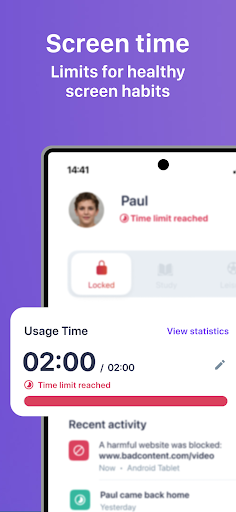


Limit screen time, block apps and secure the internet for your kids to be safe.
⭐️⭐️⭐️⭐️⭐️ Simple parental controls that actually help Balance screen time, block unsafe apps and sites, set healthy routines, and stay connected - all in one place. What you can do with Ohana - Set screen time limits with daily caps and gentle nudges - Create schedules for school, homework, and bedtime - Block apps that don’t belong on your kid’s phone - Filter the web (millions of harmful sites blocked) - See insights with weekly reports on use and trends - Stay connected with location and arrival alerts - Get expert tips for healthier digital habits Why parents choose these parental controls 1. Less friction, more routine - clear limits and automatic schedules 2. Safer exploring - smart web filters + app blocks that you control 3. Better sleep and focus - habits that stick beyond the screen Free 7-day trial Try all parental controls free for a week. If Ohana fits your family, continue with a plan that works for you. Ohana works across platforms. Learn more on our website: tryohana.com Private & transparent by design Kids see what’s active in the app. Parents see what’s needed to guide healthy habits. Ohana uses standard Android permissions to deliver parental controls: - Device Administrator to prevent uninstall without parent consent - Accessibility (AccessibilityService API) to enforce app limits/blocks (data stays on the kid’s device) - Location to show your kid’s device location and arrival alerts - VpnService to filter age-inappropriate web content Need help? support@tryohana.com Terms: https://tryohana.com/terms Privacy: https://tryohana.com/privacy-policyhttps://tryohana.com/terms https://tryohana.com/privacy-policy
4 years on Google Play
This app isn't currently appearing in any tracked top charts.