
PDFKnot – PDF Reader & Scanner
Updated Aug 2, 2026 · v1.7


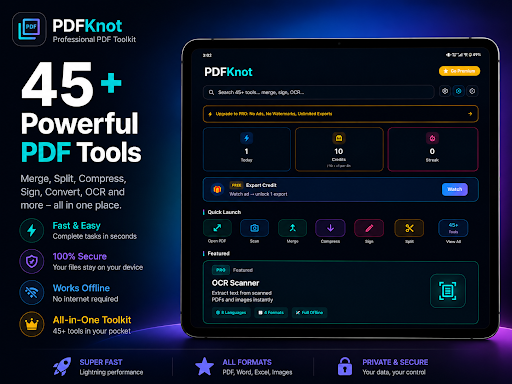


45+ PDF Tools — Merge, Edit, Sign, Convert & Scan. 100% Offline & Private.
PDFKnot — the all-in-one PDF editor, converter, scanner & signer that never uploads your files. 45+ powerful PDF tools, 100% offline, zero cloud, zero tracking. Whether you need to merge PDFs, convert Word to PDF, sign a contract, scan a document, or compress a file before sending it — PDFKnot does it all in seconds, right on your phone. No internet required. No account required. Your files never leave your device. -------------------- 📄 PDF READER & VIEWER -------------------- - Fast, smooth PDF reader with night mode - Zoom, scroll & navigate large PDF files instantly - Bookmarks and page thumbnails for quick access - Continue reading where you left off -------------------- ✏️ EDIT & ANNOTATE PDF -------------------- - Add text, highlights, and sticky notes to any PDF - Draw and annotate with precision - Stamp PDFs with custom labels - Add page numbers, headers & footers -------------------- ✍️ SIGN PDF & FILL FORMS -------------------- - Create a custom signature — draw, type, or import - Fill and sign PDF forms instantly - Sign contracts, agreements & documents in seconds - E-sign without printing, scanning, or third-party apps -------------------- 🔄 PDF CONVERTER — CONVERT ANYTHING -------------------- - JPG / PNG / WebP to PDF — turn photos into PDFs instantly - PDF to JPG / PDF to images - Word to PDF & PDF to Word converter - Excel to PDF converter - PowerPoint to PDF converter - HTML to PDF & Webpage to PDF - Markdown to PDF, Text to PDF - PDF maker from any file type -------------------- 🛠️ ORGANIZE & MANAGE PDF -------------------- - Merge multiple PDFs into one file - Split PDF into pages or custom ranges - Reorder, rotate & delete PDF pages - Extract specific pages or images from a PDF - Compress PDF — shrink file size without losing quality - Crop PDF pages - Repair corrupted PDF files -------------------- 📷 PDF SCANNER & OCR -------------------- - Document scanner — turn papers & receipts into PDF - OCR text recognition — extract & copy text from scanned PDFs - Make scanned documents fully searchable -------------------- 🔒 PDF SECURITY & PRIVACY -------------------- - Password protect any PDF - Remove PDF passwords - Permanently redact sensitive text & images - Add watermarks to your documents - App lock with biometric authentication or PIN -------------------- ⚡ MORE TOOLS -------------------- - QR code generator & QR to PDF - Built-in file manager - Full document history - Batch processing for multiple files at once -------------------- 🌙 PREMIUM DESIGN, BUILT FOR DARK MODE -------------------- A clean, obsidian-dark interface that's easy on your eyes and fast under the hood — no clutter, no confusing menus. -------------------- 💎 FREE & PRO -------------------- Most tools are completely free to use. Upgrade to PDFKnot Pro for unlimited access — no forced subscriptions, pay only for what you actually need. -------------------- 🔐 100% OFFLINE. 100% PRIVATE. -------------------- Every PDF tool works completely offline. Your documents are processed entirely on your device and never uploaded to any server. No account required. No cloud storage. No data collection. No compromise. -------------------- 🎓 WHO USES PDFKNOT? -------------------- - Students — scan notes, merge assignments, compress submissions - Professionals — review, annotate & sign documents on the go - Lawyers & HR teams — redact, protect & manage sensitive files - Teachers — create, organize & share PDF worksheets - Small business owners — invoices, contracts & document management Download PDFKnot today — the private PDF editor, converter, scanner & signer that keeps your documents exactly where they belong: on your device.
0 years on Google Play
This app isn't currently appearing in any tracked top charts.