
Video Compressor Converter
Updated Aug 3, 2026 · v2.5




Video Compressor, Converter: All in One Video and Audio Tools
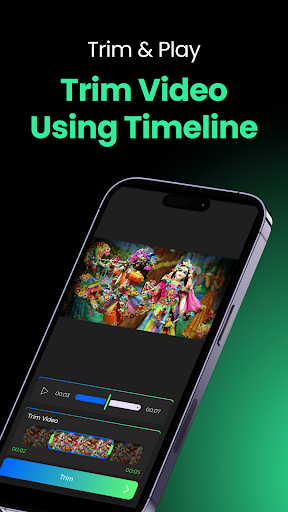
🎥 Video Compressor - Converter 📱 Your ultimate solution for video and audio compressing & converting! Simplify your media tasks with the Video Compressor - Converter app – your one-stop platform for professional-level media customization. 🌟 Whether you're managing storage, preparing content for social media or crafting perfect clips, this app has you covered! 🌟 Why Choose Video Compressor - Converter? 🔹 High-Speed Video Compression Reduce video file size without compromising quality. Perfect for saving storage space 📂 and sharing content on social media seamlessly. 🔹 Format Conversion Made Easy Convert videos to multiple formats like MP4, AVI, MOV, MKV, FLV, WEBM, MPEG, WMV and more! 🎞️ 🔹 Video to Audio Converter Extract crystal-clear audio 🎵 from your videos and save it as MP3, M4A, WAV, FLAC, AAC, OGG, WMA or other formats. Perfect for creating podcasts or ringtones. 🔹 Crop & Trim Videos Like a Pro Cut out unwanted parts ✂️ or adjust video dimensions to fit your needs. Whether it's trimming long content or resizing for any social media apps – this feature is your savior! 🔹 Flip & Rotate Videos Effortlessly Easily rotate or flip videos 📹 for unique perspectives or to correct orientations. 🔹 Audio Compression & Conversion Compress audio files 🎶 to reduce their size or convert between formats. 🔹 Batch Processing for Efficiency Save time ⏳ by processing multiple files simultaneously. 💡 Key Features in Detail 📌 Powerful Video Compression Compress videos without losing quality. Set custom resolutions like 1080p, 720p or 480p for optimized results. 📌 Multi-Format Video Conversion Easily switch between popular video formats. Supported formats include MP4, MKV, AVI, MOV, FLV and more. 📌 Extract High-Quality Audio Separate audio tracks from videos and save them in desired formats. 📌 Precision Video Trimming & Cropping Cut videos precisely frame by frame. Crop videos to match aspect ratios for any social media apps. 📌 Effortless Video Flipping & Rotating Rotate videos 90°, 180° or 270° or flip them horizontally or vertically with a single tap. 📌 Customizable Compression Settings Choose between advanced compression modes like Acceptable, Good or High to balance quality and file size. 📌 Audio Compression & Format Conversion Shrink audio files while maintaining top-notch clarity. Convert between MP3, M4A, WAV, FLAC, AAC, OGG, WMA or other formats. 📌 User-Friendly Interface Intuitive controls and seamless navigation for effortless editing. 📌 Fast Processing & Batch Mode Handle multiple files at a time with unparalleled speed and efficiency. 🌈 Perfect for Every User! Whether you’re a professional content creator, a social media enthusiast, or someone looking to manage storage effectively, Video Compressor - Converter is the ideal tool for you. 🔒 Privacy & Security: Your files are processed locally on your device, ensuring total privacy 🔐. ✨ Key Features: Video Compressor Video Converter Compress Videos for Social Media Video to Audio Converter Video Trimmer Audio Converter & Compressor Rotate Videos Flip Videos 📥 Download Now & Get Started! Transform the way you handle videos and audio today!🎉 Install now and experience the magic of "Video Compressor - Converter"! 🌟
1 year on Google Play
This app isn't currently appearing in any tracked top charts.