
Night Core 12 Watch Face
Updated Aug 4, 2026 · vVARY


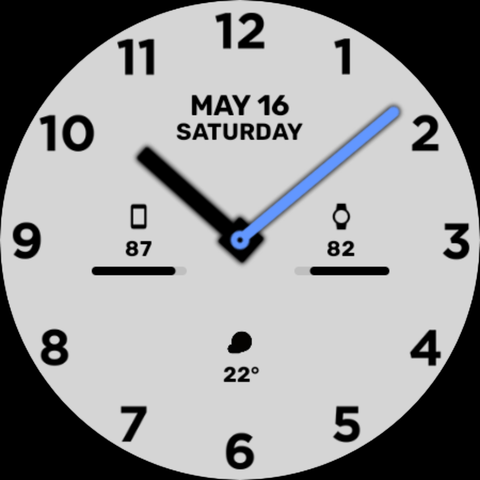
Minimalist analog WFF watch face with bold numerals, customizable hands & AOD.
Only for Wear OS devices running Wear OS 4+ (API 33/34+) 🔥 BUY 1 GET 1 FREE PROMOTION 🔥 Send a screenshot of your purchase to nightywatchfaces@gmail.com to claim your free coupon code! ⚠️ IMPORTANT INSTALLATION NOTES: • Select your WEAR OS WATCH from the dropdown install menu on your phone or browser. • The phone app serves as a quick helper companion to make discovery and installation easier. • Make sure to grant all necessary permissions (Sensors & Complications) upon initial setup for full feature support. --- Night Core 12 - Clean & Modern Analog Watch Face Designed with clarity and modern style in mind, Night Core 12 features clear full-number indices, customizable second-hand accents, date & day indicators, and low-power battery optimization built using the Watch Face Format (WFF). ✨ KEY FEATURES: • Watch Face Format (WFF) Native Integration • Classic & Bold Analog Design: High-contrast numerals for instant readability • Custom Hand & Accent Colors: Choose vibrant hand accents (pink, orange, neon green, blue, yellow) • Editable Complications & Shortcuts: Customize battery percentage, phone sync, weather, or step counts • Full Date & Day Display: Clean layout showing day and month at a glance • Battery Efficient Always-On Display (AOD): Low-consumption dark ambient mode ⚙️ CUSTOMIZATION: 1. Touch and hold the watch face screen. 2. Tap "Customize" to change hand colors, theme accents, and assign custom complication data. --- Device Incompatibility Issue? If you encounter a "Your device isn't compatible" message on the phone app, simply open the Google Play Store app directly on your watch, search for "Night Core 12", and install it directly! --- CONNECT & SUPPORT: 🌐 Website: https://nighty-watch-faces.mailchimpsites.com/ 📸 Instagram: https://www.instagram.com/nighty.watch.faces/ ✉️ Support Email: nightywatchfaces@gmail.com
0 years on Google Play
This app isn't currently appearing in any tracked top charts.