
PER27 Digital Watch Face
Updated Mar 25, 2026 · vVARY


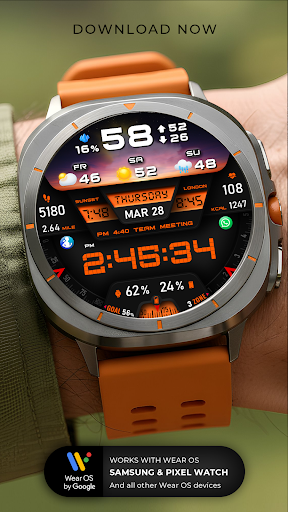
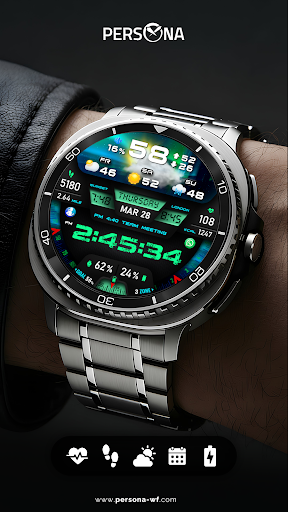


PER27 Digital is a clean and data-rich digital watch face for Wear OS.
PER27 Digital Watch Face is a modern digital watch face designed for Wear OS. Clean layout, data-rich interface and smooth performance for everyday use. Designed for users who want clear readability, functional data and customization without visual clutter. Key Features • Digital time 12/24h • Weather & 3-day forecast • Steps, daily goal & distance • Heart rate • Calories & floors • Phone & watch battery • UV index, rain probability • Moon phase, sunrise & sunset • Time zone & barometer • Next calendar event • Always-On Display AOD Customization Options • 10 font styles • 10 backgrounds • 10 dial designs • 10 LED color styles • 5 luminance levels • 7 customizable complications • Adjustable AOD dim levels ❓ Troubleshooting Weather Information This is usually related to how the watch fetches weather data. Please follow these steps: 1- Install “Simple Weather” on both phone and watch https://play.google.com/store/apps/details?id=com.thewizrd.simpleweather 2- Set its update interval to 1 hour 3- Wait a few minutes for data to sync If it continues, please email me. Phone Battery Level You’ll need to install a companion app on both your phone and watch: Phone Battery Complication https://play.google.com/store/apps/details?id=com.weartools.phonebattcomp For additional complications, such as phone battery, calories or floors, check the setup guide: https://persona-wf.com/installation/ Easy Customization Touch and hold the watch face. Tap “Customize”. Set colors, complications, and data. Always-On Display Optimized AOD with adjustable dim levels. Colors remain consistent with the main screen. Supported Devices Compatible with all Wear OS devices API 34+ Samsung Galaxy Watch 4–8, Ultra Google Pixel Watch 1–4 Fossil Gen series Mobvoi TicWatch series Support: support@persona-wf.com More watch faces: https://persona-wf.com Designed by Ayla Gokmen PERSONA Watch Face
2 years on Google Play
This app isn't currently appearing in any tracked top charts.