
TMF14
Updated Dec 27, 2023 · v1.0.0


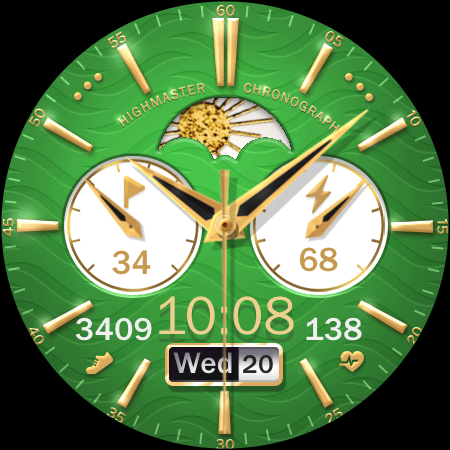
The Premium Parfum for Watches
Treat yourself. Having a boring day? Feel the rush, enjoy the now Unlock your bold side, your style won't be overlooked. - - - - - - - - - - - - - - - - - SPECS: App shortcuts, color schemes, day/night mechanical gauge, step goal, Steps, Heart rate, date, watch battery. - - - - - - - - - - - - - - - - - About our dirty hands: → Telegram: https://t.me/timefywearos or → Join our free newsletter: https://forms.gle/CuwknyRnDFSTGCdV7 - - - - - - - - - - - - - - For all Wear OS devices. Installation: Buy the app and Install it on your Phone. Open "TMF14" Tap on the "Install on Watch" button. In your Watch, tap the "Install" button. Then you can go to the app which manages your Watch device on your Phone. Go to Watch Faces, then scroll down to "downloads", and tap over the "TMF14" app. That is it! If you need help with installation, please email: david@timefy.us Remarks: Always make sure your watch is paired to your phone when installing. When it says "installing soon," please wait 3-4 minutes, then check your watch to see if the installation is complete. Have a great day. TIMEFY™
2 years on Google Play
This app isn't currently appearing in any tracked top charts.