
USB Audio Checker
Updated Aug 29, 2026 · v1.6.2


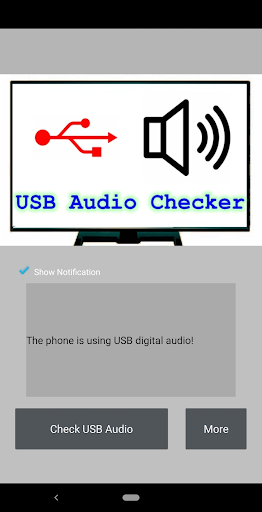

One-key widget to show your headphones working in digital or not.
1.What's Android USB type-C audio? There are two ways to send audio data through the USB type-C port - Analog and Digital. Analog audio can be converted with an onboard DAC and amplifier inside your phone then sent out through the port to a passive set of headphones or an adapter. For this to work, the device needs to support whats called "audio accessory mode" and the headphones or adapter are just "dumb" connections that pass along the signal. If you are using an active set of headphones or adapter, the audio signal being sent through the USB port is still in its digital form. That means the DAC and amplifier are inside of the headphones or the dongle, and the conversion is done there instead of the phone. This can get messy. You need to make sure that you're using the right "thing". If you are using a passive adapter or headphones, your phone needs to support audio accessory mode and many don't. The mess is because most dongles, adapters, and headphones aren't labeled with how they are built and we don't know if they are active or passive. 2.How to check the USB type-C audio? There is a one-key widget to show your headphones working in digital or not. 3.How to use USB Audio Checker? It's very easy , click "Check USB Audio" after connecting your headphones or adapter.
6 years on Google Play
This app isn't currently appearing in any tracked top charts.