
Draw on Map : Sketch Anything
Updated Feb 2, 2026 · v1.5
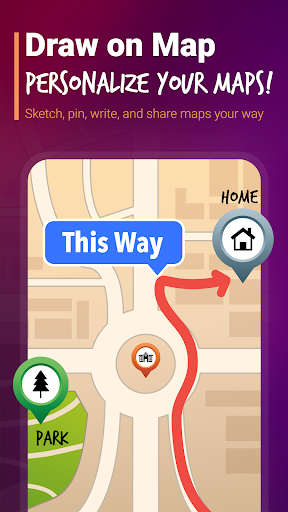


Draw custom routes, add text & stickers directly on maps. Plan trips & share!
🎨 Drawing on Map – Create, Annotate & Share Draw, place stickers, add custom text, and share your creativity — all directly on Google Maps! Whether you're planning a trip, making a custom map or just having fun, this app lets you draw freely over the map, add stickers, text bubbles & save or share your creations. ✨ Key Features: 🖌️ Freehand Drawing: Mark routes, highlight areas or just doodle with multiple brush colors & sizes. 🧩 Sticker Mode: Tap to place stickers, drag to move, pinch to scale or rotate. Customize it your way! 📝 Text Mode: Add styled text as overlays — choose font, color, size & even background bubbles. 📂 Save & Load: Save your map art as a file and reload it later — includes drawings, stickers and text. 🔁 Undo/Redo & Clear: Mistake? No worries! Undo or redo your changes anytime. 📤 Share Easily: Export your art as an image or a sharable JSON link to load in other devices. ⚡ Ideal for: - Delivery drivers needing a quick route highlighter. - Hikers and travelers marking off-road custom trail maps. - Real estate agents mapping out property perimeters. - Content creators designing visual travel guides. 📌 Use Cases: Plan routes and share with friends. Mark favorite places with fun stickers. Annotate maps for storytelling or education. Create illustrated guides or directions. ⚡ Start drawing on maps like never before. Plan routes, mark places, and share your creativity instantly. Install now and make every map your own.
1 year on Google Play
This app isn't currently appearing in any tracked top charts.