
漢字館 - 漢字ナンクロ、十字パズル、ダイヤモンドパズル
Updated Jun 17, 2026 · v1.0.52


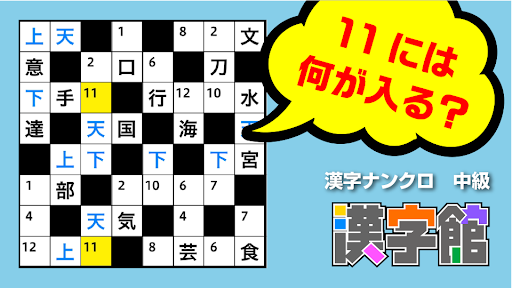
Includes plenty of high-quality kanji puzzles created by professional puzzle artists! It is sure to satisfy your intellectual curiosity! is. It will be a brain training/brain activity.
■■Various problem lineup■■ [Cross puzzle] Choose the kanji that fits in the center of the cross from the candidates and complete the two-character compound word! [Diamond puzzle] Choose the kanji that fits in the center of the octagon from the candidates and complete the two-character compound word! [Kanji Nankuro] Select and insert the same kanji from the candidates into the same numbered squares on the puzzle side to complete the idiom! [Mugen Shiritori] Relying on the readings, choose the kanji that fits in the square from among the candidates and complete the infinite shiritori! *The number of problems will continue to increase, so stay tuned! ■■Recommended for these people■■ ・I love kanji puzzles! a person called ・It's tedious to write the same kanji in the same square over and over again with a paper card! a person called - Beginners who are interested in kanji puzzles but don't understand the rules. ・I want to warm up my brain while solving kanji puzzles on the train heading to work! a person called ・I want to refresh my mind with an intellectual game in between work and housework! a person called ・I want to cool down my brain while solving kanji puzzles on the way home! a person called ・I just want to play games on my smartphone! a person called ・I want to do brain exercises to prevent blurriness, brain training, and brain activity! a person called ■■People of any level can keep playing■■ 【whole】 ・If you really don't understand, try pressing the "hint" button! [Kanji Nankuro] ・If you enter a wrong character, it will turn red and let you know, so don't worry! →If you turn on "Difficult mode" in the settings, it will not turn red. ・As you enter characters, the number of candidate characters gradually decreases♪ →If you turn on "Difficult mode" in the settings, it will not decrease. ・If you really don't know, select the square you want to put a letter in and press the "Hint" button to secretly tell us the answer.
3 years on Google Play
This app isn't currently appearing in any tracked top charts.