
Documents Reader: PDF Viewer
Updated Jul 22, 2025 · v1.0.36
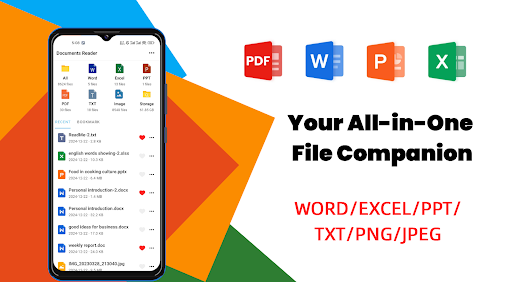


View PDF, Word, Excel, PPT, TXT & images. All documents in one simple app!
All-in-one file viewer for every document you need! Instantly open, view, and manage PDF, Word, Excel, PPT, TXT, and image files on your phone — anytime, anywhere. Tired of switching between different apps for each file type? **Documents Reader** is your complete solution! Open, preview, and organize all types of office documents and files in one powerful, easy-to-use app. --- 🌟 **Key Features** 📂 **Universal File Manager** - Automatically scan and organize all documents on your phone - View files by type: PDF, Word, Excel, PPT, TXT, images - Neat folder structure for easy browsing - Favorites & recent files for quick access - Powerful search: find any file in seconds 📄 **Best-in-Class PDF Viewer** - Fast, smooth PDF opening - Zoom, page jump, and quick share - Works offline 📝 **Word & Text Files** - Open DOC, DOCX, TXT with crystal-clear display - Clean, minimal reading interface 📊 **Excel & Spreadsheets** - View XLS, XLSX files seamlessly - Check data and tables on the go 📈 **Powerful PPT Viewer** - Preview presentations and slides with ease 🖼️ **Image & Photo Support** - Browse and preview common image formats - Convert images to PDF in one tap 🔄 **PDF Tools** - Convert images to PDF, and PDF to images - Share, rename, delete, or organize files easily 🚀 **User-Friendly Design** - Fast, lightweight, and easy to navigate - Works 100% offline, no data needed - Customize sorting and file actions --- 🎉 **Perfect For:** - Students managing assignments and notes - Professionals handling business documents - Anyone who needs to view and organize files on the go --- 🚧 **Exciting Features Coming Soon:** - Editor for office files (Word, Excel, PPT, PDF) - Support for even more file types - Merge, create, and annotate documents - Global file search - Handwriting/Doodle on docs --- Documents Reader is designed to boost your productivity by making document management effortless — no computer required! Have suggestions or need help? Reach us at javainstalling@gmail.com. We’re always working to make Documents Reader even better for you! --- Download now and get all your documents at your fingertips!
1 year on Google Play
This app isn't currently appearing in any tracked top charts.