
Yi IoT Light Bulb Camera Guide
Updated Feb 1, 2026 · v3464


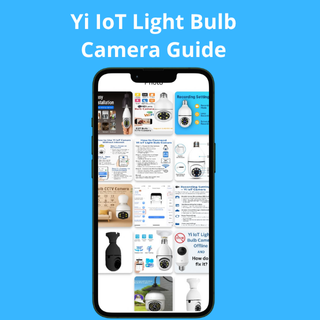


Step-by-step setup, features, and fixes for Yi IoT Light Bulb Camera.
Full Setup Guide for Yi IoT Light Bulb Camera – Wi-Fi & Offline Use Easily install and manage your Yi IoT Light Bulb Camera using this complete guide. Learn how to connect your smart bulb camera to Wi-Fi, activate motion detection, and even use the device without internet. 🔧 Main Features ✅ Easy Setup Instructions Step-by-step guidance to connect your Yi IoT camera using Wi-Fi or hotspot. Includes how to add the camera to the official Yi IoT app. ✅ Offline Use Support Find out how to use the camera without internet. Record videos to SD card and access them anytime. ✅ Motion Detection Settings Enable alerts, customize motion sensitivity, and reduce false notifications. ✅ App Compatibility Supports both 2.4GHz and 5GHz Wi-Fi networks. Fully compatible with Android and iOS Yi IoT apps. ✅ Troubleshooting Help Solve common issues like QR scan failure, offline status, or hotspot connection problems. ✅ Ideal for All Locations Use your camera in homes, offices, stores, schools, or restaurants. 📘 All-In-One User Manual This app combines all information into one easy-to-use guide, optimized for mobile screens. No more searching the internet. Disclaimer: This is an unofficial guide for users of the Yi IoT Light Bulb Camera. We are not affiliated with Yi IoT or any related brand. This app is for educational and support purposes only.
1 year on Google Play
This app isn't currently appearing in any tracked top charts.