
NTRIP server and client
Updated Mar 8, 2023 · v1.52
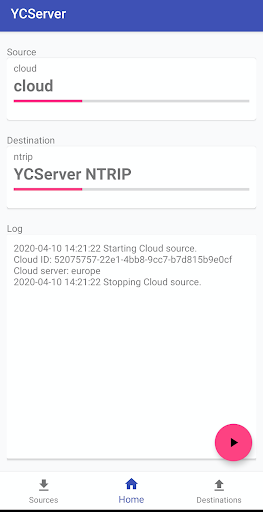


The best companion for you RTK GPS receiver
NTRIP server. - Connect your phone with RTK Base via bluetooth or serial cable. - Create a new bluetooth or serial endpoint and set is as a source. - Create NTRIP endpoint and set it as destination. - Start broadcasting of your base station data to NTRIP caster. NTRIP client - Connect your phone with RTK Rover via bluetooth or serial cable. - Create NTRIP endpoint and set it as a source. - Create a new bluetooth or serial endpoint and set is as a destination. - Start receiving data from RTK network of your RTK rover. RTK bridge / GSM modem You will need 2 or more android phones, it depends of how many rovers are you going to connect. - Generate a valid cloudID code at a cloud destination. Send it to all rover and base phones. The cloud id should be the same on all phones. Phone 1 (Base): - Connect your phone with RTK Base via bluetooth or serial cable. - Create a new bluetooth or serial endpoint and set is as a source. - Create Cloud endpoint with cloudId and set it as destination. - Start broadcasting of your base station data to Cloud server. Phone 2 (Rover) - Connect your phone with RTK Rover via bluetooth or serial cable. - Create Cloud endpoint with cloudID and set it as a source. - Create a new bluetooth or serial endpoint and set is as a destination. - Start receiving data from Cloud server of your RTK rover.
9 years on Google Play
This app isn't currently appearing in any tracked top charts.