
TV Remote for Samsung Smart TV
Updated Jul 29, 2026 · v1.0.0


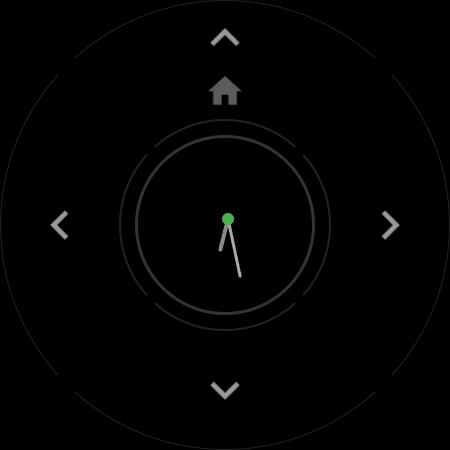
Remote control for Samsung Smart TV on your Wear OS smartwatch. Wi-Fi, no phone.
Turn your smartwatch into a full-featured remote control for your Samsung Smart TV. TV Remote for Samsung runs standalone on any Wear OS watch — Galaxy Watch, Pixel Watch, OnePlus, OPPO, TicWatch, Xiaomi and more. It connects to your TV directly over Wi-Fi, so you don't need your phone, Bluetooth, or any app on the TV side. Lost the remote in the couch again? Batteries died? Your Samsung TV remote is now always on your wrist. ⌚ WHY THIS APP • 100% standalone — works even when your phone is off or in another room • Fast connection over your home Wi-Fi network with automatic reconnect • Simple pairing: tap Allow on the TV screen once, and you're done 📺 REMOTE CONTROL FEATURES • Full D-pad navigation: up, down, left, right, OK, Back, Home • Volume control with the rotating bezel or crown, plus mute • Power off — and power on via Wake-on-LAN, right from the watch • Media playback: play, pause, rewind, fast forward, stop, record • Channel up/down, channel list and number pad • Source and HDMI input switcher • Keyboard text input — type TV searches from your watch • Colored buttons, subtitles, sleep timer, picture mode and more 🚀 LAUNCH TV APPS FROM YOUR WRIST Open Netflix, YouTube, Prime Video, Disney+, Apple TV, Spotify, Plex, Paramount+ and other streaming apps with one tap. Pro users also get the live list of apps installed on their TV and can add custom apps. 🎛 MAKE IT YOURS • Remap any button — assign the full Samsung Tizen key catalog to short or long press • Quick actions Tile: volume, mute, power and home right in the watch face carousel • Add multiple TVs and switch between rooms instantly • Art Mode toggle and correct power handling for The Frame TVs • Always-on display support and 28 languages ✅ COMPATIBILITY Works with Samsung Smart TVs from 2016 and newer running Tizen: Neo QLED, QLED, OLED, The Frame, The Serif, Crystal UHD, 4K and 8K models — including KS, KU, M, N, NU, Q, QN, R, RU, T, TU, AU, BU, CU, DU and S series. Runs on any Wear OS 3+ smartwatch with Wi-Fi: Google Pixel Watch 1 / 2 / 3, Samsung Galaxy Watch 4 / 5 / 6 / 7 / 8 / Ultra, OnePlus Watch 2 / 2R / 3, OPPO Watch X, Mobvoi TicWatch Pro 5, Xiaomi Watch 2 and others. Your watch brand does not need to match your TV brand — a Pixel Watch controls a Samsung TV just fine. Not compatible with Samsung TVs made before 2016 or with TVs of other brands. 🔧 QUICK SETUP 1. Connect your watch and your TV to the same Wi-Fi network 2. Open the app — it discovers your Samsung TV automatically 3. Press Allow on the TV screen — paired! To power the TV on from the watch, enable "Power On with Mobile" in your TV's network settings. 💎 FREE VS PRO The free version is a complete basic remote, forever: discovery, pairing, D-pad navigation, Home, power on and power off. A one-time Pro upgrade — no subscription — unlocks bezel volume, the media screen, button remapping, multiple TVs, the quick actions Tile, text input, the installed-apps launcher, always-on display and all Samsung extras. Questions or feature requests? Write to us via the support email — we read everything and usually reply within a day. Legal: this is an unofficial app and is not affiliated with, endorsed or sponsored by Samsung Electronics. Samsung, Galaxy Watch, Tizen, QLED and The Frame are trademarks of Samsung Electronics Co., Ltd. All TV app names and logos belong to their respective owners. This app requires a Samsung Smart TV and a watch connected to the same Wi-Fi network; it does not use an IR blaster.
0 years on Google Play
This app isn't currently appearing in any tracked top charts.