
YhoIPTV Watch Live TV & Video
Updated Jun 6, 2026 · v2.7


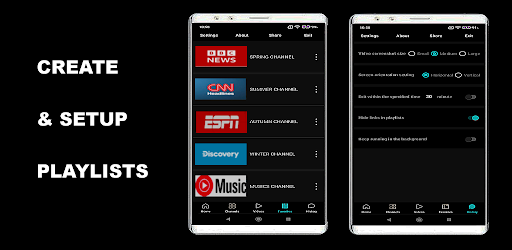


Online TV and video player that lets users search for channels or add their own.
YhoiptvPlayer – Online IPTV Channel Player for Android YhoiptvPlayer is a lightweight and powerful IPTV player designed for Android smartphones, tablets, TV boxes, and smart TVs. With this app, you can easily add and watch your favorite online TV channels, radio stations, movie streams, and video playlists from around the world. Simply input any supported web video link or add an M3U playlist—just like adding a web shortcut to your "Favorites" folder—and enjoy seamless playback of global content in one convenient place. Note: YhoiptvPlayer does not provide or pre-install any TV channels, movies, or video content. The app functions solely as an online video player. Users must search or add their own URLs or M3U playlists. All added content is the responsibility of the user or playlist creator. Key Features 🔗 Supports Multiple Audio & Video Formats Easily add links in a wide range of formats, including: html, xml, php, mp4, m3u, webm, ogg, 3gp, avi, flv, mkv, mov, mp3, wav, aac, and more. 🔍 Built-in Channel Search Search for channels directly within the app. Tap “Get” to instantly add channel screenshots, names, and playback URLs to your list. ✏️ Flexible Channel Management Manually add or edit channel information Organize channels in your favorites list Create a personalized streaming lineup 🖥️ Simple, User-Friendly Interface No complicated setup required. Just add a URL—and start watching instantly, just like a regular TV. 📱 Wide Device Compatibility Supports all Android devices, including: Smartphones Tablets Android TV boxes Smart TVs Any device running Android OS Installation Guide 📲 For Mobile Phones & Tablets YhoiptvPlayer is a lightweight standalone app. If installing from outside the app store, you may see a warning such as “Unsafe apps have been blocked.” Tap “More details” → “Install anyway” to proceed. 📺Installing on Android TVs & Set-Top Boxes Method 1: Download Directly via Browser 1. Install any web browser (e.g., Web Browser, Apk Downloader) from your TV’s app store. 2. Open the browser and enter: https://yyhuu.com/download/yhoiptvplayer.apk 3. Download and install yhoiptvplayer.apk. Method 2: Transfer From Mobile Phone If your phone can connect to your TV or device, simply transfer the APK file and install it. Method 3: Use “Send Files to TV” 1. Install Send Files to TV on both your phone and TV (available in app stores). 2. Use it to send the yhoiptvplayer.apk file to your TV for installation. Trial & Registration YhoiptvPlayer is shareware. You may download and try the app for free. Some features may be limited during the trial period. To unlock full functionality and support ongoing development, please consider purchasing the registered version.
1 year on Google Play
This app isn't currently appearing in any tracked top charts.