
AutoTap-Auto Clicker Assistant
Updated Oct 10, 2026 · v1.2.1
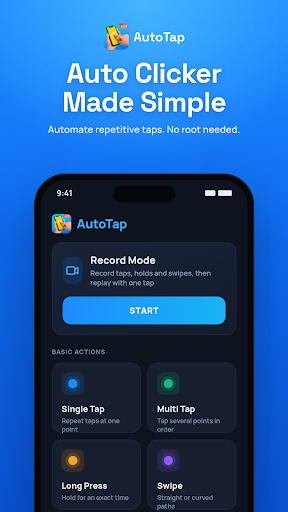


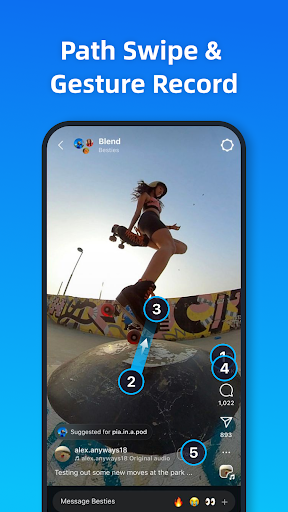

Auto clicker & auto tapper: record gestures, repeat taps, swipes & long press.
AutoTap – Auto Clicker, Auto Tapper & Gesture Recorder AutoTap is an auto clicker and auto tapper for Android that repeats the taps, swipes and long presses you set up yourself. Create a routine once, start it from the floating panel, and let this automatic clicker handle the repetitive steps — no root required. ━━━━━━━━━━━━━━━━━━ CORE FEATURES ━━━━━━━━━━━━━━━━━━ ⚡ Auto Tap Set one or more tap points with custom intervals and durations. 🎯 Multi-Point Control Run multiple taps and swipes in sequence or at the same time, each point fully configurable. 📹 Gesture Recorder Record taps, swipes and long presses on your screen, then replay the whole sequence with one tap — a simple macro recorder for repetitive steps. 🔄 Sync Mode Trigger several tap points at the same moment — useful for testing multi-touch behavior in your own apps. 〰️ Curve Swipe Draw curved swipe paths, not just straight lines. ⏰ Scheduled Start Start a saved routine at a time you choose. 🖐️ Floating Panel Adjust the size, transparency and position of the control panel so it doesn't block your screen. 💾 Save & Load Scripts Keep multiple configurations as scripts and switch between them instantly. ⏹️ Stop Anytime Pause or stop any routine instantly from the floating panel. Set a repeat count or total duration to stop automatically. ━━━━━━━━━━━━━━━━━━ ACCESSIBILITY SERVICE USAGE ━━━━━━━━━━━━━━━━━━ AutoTap uses the Android Accessibility Service only to perform the taps, swipes and long presses that you configure yourself, at the screen positions you set. ● The Accessibility permission is optional and disabled by default. ● Automation starts only after you create a setup and start it manually. ● AutoTap does not perform any action in the background without your configuration and trigger. ● AutoTap does not access, collect or store usernames, passwords, account credentials or other personal or sensitive data. ● AutoTap does not use the Accessibility API to read screen content or send data to any third party. ● AutoTap does not bypass Android's security restrictions or the protections of any other app. ━━━━━━━━━━━━━━━━━━ USE CASES ━━━━━━━━━━━━━━━━━━ ● App Testing – Repeat test steps, UI flows and stress tests on apps you develop ● Reading – Auto-scroll or turn pages in articles, e-books and documents ● Long Press – Hold a screen point for an exact duration, hands-free ● Demos & Tutorials – Replay the same gesture sequence for consistent screen recordings ● Everyday Tasks – Automate repetitive on-screen steps in your own workflow ━━━━━━━━━━━━━━━━━━ HOW TO USE ━━━━━━━━━━━━━━━━━━ 1. Turn on the Accessibility permission for AutoTap 2. Add tap points, or record a gesture 3. Set the interval, hold time and repeat count 4. Tap Start on the floating panel — tap Stop anytime ━━━━━━━━━━━━━━━━━━ FAQ ━━━━━━━━━━━━━━━━━━ Q: Does this auto clicker need root? A: No. AutoTap works on Android 7.0 and above without root. Q: Can AutoTap read what is on my screen? A: No. It only taps, swipes and presses at the positions you set. Q: How do I stop the automation? A: Tap Stop on the floating panel at any time, or set a repeat count or total duration. Q: Can I save different setups? A: Yes. Save each setup as a script and load it again with one tap. ✅ No root required – Works on Android 7.0 and above ✅ Lightweight – Low battery and memory usage Please use AutoTap responsibly and follow the terms of service of the apps you use it with. Questions or suggestions? Contact us: autotappro@outlook.com
0 years on Google Play
This app isn't currently appearing in any tracked top charts.