
Computer keyboard shortcut key
Updated Apr 24, 2026 · v3.9



Learn computer and software keyboard shortcut keys in a simple way
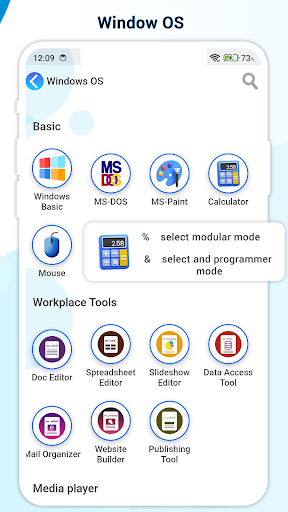
Discover the ultimate companion for mastering computer shortcut keys with our powerful and easy-to-use application. This app is designed to provide a complete collection of Windows shortcut keys and Mac shortcut keys, helping users improve productivity, save valuable time, and work smarter. Whether you are a student, professional, developer, designer, or everyday computer user, this application offers everything you need to learn, explore, and remember the most useful keyboard shortcuts. Our application covers an extensive range of keyboard shortcuts for Windows operating systems and Mac OS systems, ensuring that you always have quick access to the commands that make your workflow faster. From simple navigation shortcuts to advanced system commands, this app is your one-stop solution for learning and practicing keyboard shortcuts. Each shortcut is explained in detail with a clear description so you always understand what it does and how to use it effectively. The application comes with a favorite option, allowing you to save and organize your most-used shortcut keys for quick reference. This feature ensures that the shortcuts you rely on daily are always easy to access. The modern and attractive UI design makes the experience simple, engaging, and user-friendly, so you can focus on learning without distraction. With this app, you no longer need to waste time searching the internet for shortcuts. Everything is carefully categorized and well-organized, allowing you to browse shortcuts by function, operating system, or category. Whether you need shortcuts for text editing, file management, browsers, design software, or system functions, our app brings all the information into one convenient place. Key Features Complete collection of Windows shortcut keys Full set of Mac shortcut keys Favorite option to save and access your personal shortcuts Attractive and easy-to-navigate UI design Clear descriptions for every shortcut Perfect for students, professionals, developers, designers, and office users Helps improve productivity and efficiency Regular updates with new and useful shortcuts Learning shortcut keys is one of the fastest ways to boost efficiency and minimize repetitive tasks. By using this app, you will discover how powerful keyboard shortcuts can transform the way you work on your computer. From speeding up daily tasks to exploring hidden features, this app helps you unlock your computer’s full potential. Whether you are using Windows 10, Windows 11, Mac OS, or other versions, this app is designed to be your reliable shortcut guide. It is not just a reference tool but also a learning resource that makes mastering shortcuts fun and simple. The favorite feature makes it highly personal, so your app experience adapts to the way you work. If you want to become faster, smarter, and more confident while working on your computer, this is the app you need. Download now and start exploring thousands of shortcut keys that will save you time and improve your workflow. We have the following software shortcuts details 1) Windows Shortcut keys 2) mac shortcut keys 3) Microsoft Office a) Microsoft Word shortcut keys b) Microsoft Excel shortcut keys c) Microsoft PowerPoint shortcut keys d) Microsoft access shortcut keys e) Microsoft outlook shortcut keys f) Microsoft frontpage shortcut keys 4) Internet a) Chrome shortcut keys b) Firefox shortcut keys c) Internet Explore shortcut keys 5) Editors a) Notepad shortcut keys b) Notepad ++ shortcut keys c) Visual studio code shortcut keys 6) Media player a) VLC player shortcut keys b) MX player shortcut keys c) AIMP player shortcut keys d) Windows media player shortcut keys e) Real player shortcut keys f) KM player shortcut keys g) Winamp shortcut keys h) iTune shortcut keys 7) Basic shortcut keys a) Paint shortcut keys b) MS-DOS shortcut keys 8) Accounts a) Tally shortcut keys
7 years on Google Play
This app isn't currently appearing in any tracked top charts.