
Photos To Computer - By Date
Updated Aug 27, 2026 · v1.16



Backup and organize photos by date to PC, NAS or server via SMB, SFTP, FTP, QR
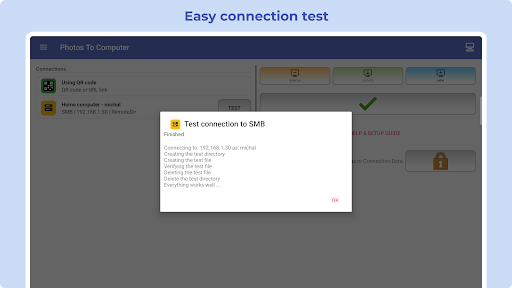
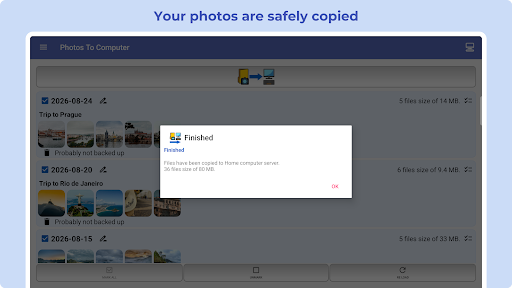
The 📷 PHOTOS TO COMPUTER app lets you back up and archive your photos and videos to a 🖥️ PC, NAS, or file server via 📁 SMB, 🔐 SFTP, or 📂 FTP with a single tap. Once initiated, files are automatically organized into date-based folders (YYYY-MM-DD), making your archive easy to browse and manage. You can also transfer and download files using QR codes or URL links within your local Wi-Fi network. 🚀 KEY FEATURES: ✅ One-tap backup: Start transferring photos from your phone to your computer or NAS instantly. ✅ Smart organizing: Copied media is automatically sorted into folders named by date (YYYY-MM-DD). ✅ Browse with ease: View your archive in chronological order on your computer. ✅ Multi-device support: Archive multiple phones into separate or shared folders. ✅ Smart sync: Subsequent transfers automatically skip files that already exist on the destination. ✅ Simple setup: Quick configuration means you are ready to transfer in seconds. 🆕 NEW: QR CODE & URL TRANSFERS Share and download files using QR codes or URL links over your local Wi-Fi network without complicated setup. For privacy and security, these transfers work strictly within the same local network. Ideal for users who do not want to configure SMB/FTP connections. 🌐 ADVANCED FILE TRANSFER PROTOCOLS: • 📁 Samba (SMB): Access shared directories on Windows, macOS, Linux, and NAS. • 🔐 Secure File Transfer Protocol (SFTP): Secure transfer via SSH. • 📂 File Transfer Protocol (FTP): Quick connection to standard FTP servers. 🛡️ PRIVACY & SECURITY FIRST: • 100% Offline & Local: The app does not use or provide any cloud storage. • Full Control: Your files remain strictly on your own hardware (PC/NAS). • Complete Anonymity: The developer has zero access to your files or data. ⚠️ IMPORTANT NOTE: The app allows you to delete photos from your phone by individual days after a successful backup. Always verify that your backup is complete before deleting files from your device. Download PHOTOS TO COMPUTER today and keep your memories safely archived and perfectly organized!
4 years on Google Play
This app isn't currently appearing in any tracked top charts.