
Jot: Floating Notes & Notepad
rdq - smart productivity tools
Updated Oct 31, 2025 · vVARY


Quick floating notes & powerfull notepad with notes in notification in one app.
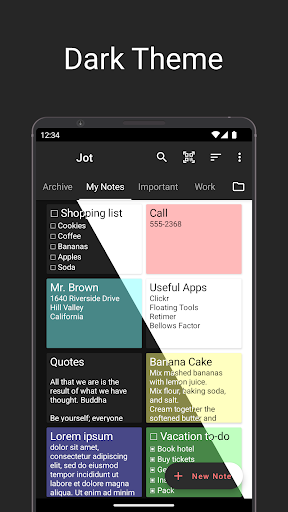
Are you looking for a quick and easy way how to take notes no matter what app is currently running? Jot is all about making the entire note-taking process fast and convenient. A small floating window above all apps lets you write down your notes in an instant. Floating notesUsing floating Jot, you can easily create notes even on top of any other application without interrupting its normal behavior. This allows you to take a quick note or jot something down whenever you want and it will be waiting for you in the Jot notepad app. Floating Jot can be launched either using a custom tile in the quick settings area, app shortcut, or from a home screen launch bar. The launch bar is capable of launching up to 6 other applications. NotepadThe main app serves as a notepad where you can easily manage notes using folders and highlight important notes with different colors. Of course, you can take notes or edit existing ones here as well. Phone numbers, web, and e-mail addresses can be automatically highlighted and converted into active links. All changes to notes and lists are saved automatically. The application can be customized to your needs. From the default color of new notes to swipe gestures for checklists. Notes in notificationSelected notes can be placed into the notification bar. Either from the notepad app or immediately from the floating Jot. Notification notes will be available to you at any time to review or edit. You can make the notification note non-removable using the pin icon so you won't accidentally clear it. Notes in the notification bar are preserved even after the phone restart. ChecklistsBoth floating Jot and fullscreen notepad application comes with a checklist mode. In the checklist mode, you can create a shopping list, to-do list, or any other list you can think of. You'll be able to reorder list items or mark the task as done with a simple gesture. Jot and PrivacyAll notes are stored entirely locally on your device and are never analyzed or shared with anyone. With Jot, you can take as many notes as you want. No limits. Don’t hesitate and try out Jot right away if you want a fast, reliable, and easy-to-use note-taker that can be adjusted according to your needs! Features: • Powerful notepad app • Quick floating notes • Sticky notes in notification • Checklists • Launch bar widget • Fulltext search and sorting • Custom folders • Colored notes and lists • Active links • App customization • Light and dark mode Help improve Jot! Please fill in this quick anonymous survey: https://www.akiosurvey.com/svy/jot-en
8 years on Google Play
This app isn't currently appearing in any tracked top charts.