
Our Stuff
Updated Apr 10, 2026 · v1.49.0


Keep a list of the books, music and films & TV shows you own
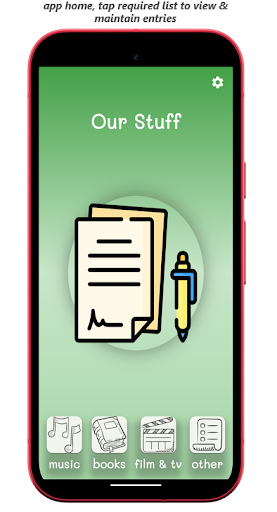
Overview Welcome to Our Stuff, the aim of the app is to keep a list of Books, Music and Film & TV shows you own, on the Other tab, you can create your own list categories. On the MUSIC tab you can add details of your music items, these are categorised as either CD, Vinyl or Cassette. Entering a version title is optional. On the BOOKS tab you can add details of your books, these are categorised as either hardback, paperback or e-book. On the FILM & TV tab you can add details of your films & TV shows, these are categorised as either DVD, bluray, video or streaming. Entering cast information is optional. On the OTHER tab you can create your own lists via the "maintain lists" menu option. Entering additional information is optional. Maintaining Music, Books & Film & TV To add a new entry for MUSIC, BOOKS or FILM & TV tap the add button and complete the details in the dialog. Swipe an existing entry to the right to show the edit and copy actions, you can also delete an existing entry by swiping to the left, from the app bar you can search & filter the entries in the tab. To delete multiple entries, long-press and select one or more cards and then tap the delete icon in the app bar. To change the default leading image to a image of your choice, long-press the leading image, toggle the "use default image?" and selected the required PNG file and tap close. Tap the leading image to view it. Maintaining Other lists For OTHER, to create a new list, tap the settings icon on the home screen and select "maintain OTHER Lists". To delete a list and all associated entries, tap the trailing delete icon, to modify the list name tap the leading edit icon. To select a list, tap the drawer icon in the app bar and tap the required list. To create a new entry in the selected list, tap the add button and complete the details in the dialog. Swipe an existing entry to the right to show the edit and copy actions, by swiping to the left you can delete an existing entry. To delete multiple entries, long-press and select one or more cards and then tap the delete icon in the app bar. To change the default leading image to a image of your choice, long-press the leading image, toggle the "use default image?" and selected the required PNG file and tap close. Tap the leading image to view it. From the app bar, there is also a summary report which shows a count of items in each list, this can be toggled between "owned" & "no longer owned" items. Icons used in this app are made by https://www.freepik.com
5 years on Google Play
This app isn't currently appearing in any tracked top charts.