
Gift KWGT
Updated Nov 1, 2025 · v1.3.0


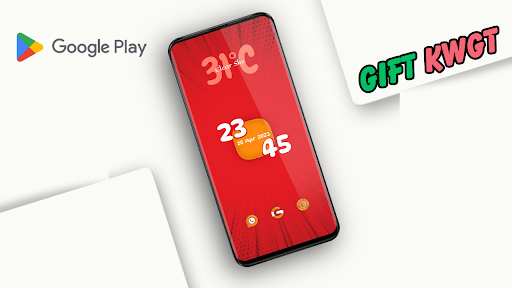

A new KWGT Pack for Kustom users, with full on customization options.
If you like to create Minimal stylish colored setups for your Android Homescreen, then try Gift KWGT, the coolest Minimal Kustom widget on Google Play store. Currently it has 40 Premium KWGT widgets to personified your character on your Smartphone's homescreen, and we will keep it updating on a monthly basis till it reaches 70, which means you will never get bored with Gift KWGT and get what your Smartphone's homescreen truly deserves. Never feel left alone with Gift KWGT with 24x7 support via various Social Media Networks or Email supports (see details below). If you are facing any sorts of problem, just drop a message. Highlights of Gift KWGT APP: - 40 KWGT (Kustom) widgets with monthly updates. - Various Music Player widgets. - Various Battery widgets. - Various Weather widgets. - Various Search bar widgets. - Various Date, Time Widgets. So what are you waiting for, Download the Best Minimal Kustom pack now. Widgets Designed by @Don7TK (Telegram) by ACE Home Screen Setup This is not a standalone app. Gift KWGT requires KWGT PRO application What you need:👇 ✔ KWGT PRO App KWGT https://play.google.com/store/apps/details?id=org.kustom.widget Pro key https://play.google.com/store/apps/details?id=org.kustom.widget.pro ✔ Custom launcher like a Nova launcher/LawnChair (Recommended) How to Apply: ✔ Download Gift KWGT and KWGT PRO application ✔ Long tap on your HomeScreen and choose widget option ✔ Choose KWGT Widget ✔ Tap on the widget and choose installed Gift KWGT ✔ Choose widget which you like. ✔ & Enjoy your setup! If the widget is not right sized use the Layer option in the KWGT to apply correctly size. Note: This App is in development stage, we will update the App frequently, if you are buying it, make sure that it's the latest version. For any queary message @AceSetup (Twitter) or @Don7TK (Telegram). Love our creations? Join us: YouTube - http://bit.ly/ACEHomeScreen Telegram - https://t.me/ACEHomeScreenSetup Website - http://club.androidsetups.com Instagram - https://instagram.com/acehomescreensetup Twitter - https://twitter.com/AceSetup Facebook Page - https://facebook.com/ACEHomeScreenSetup/ SPECIAL THANKS: 👉Jahir Fiquitiva for creating this awesome Kuper Dashboard 👉 Mystery Girl for helping me creating few of the Play Store listing setups.
3 years on Google Play
This app isn't currently appearing in any tracked top charts.