
HEIC to JPG & PNG Converter
Updated Aug 24, 2026 · v1.0.2


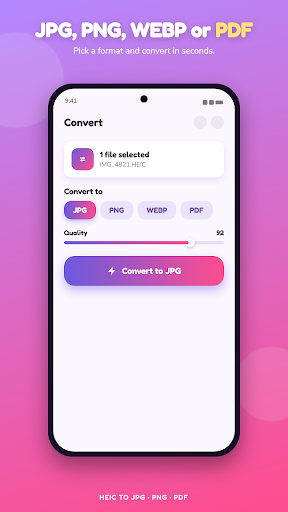


Convert HEIC to JPG, PNG & PDF fast. Batch image converter, nothing uploaded.
Turn HEIC photos into JPG, PNG or PDF in a couple of taps. HEIC is the high efficiency image format iPhones use, and most Android phones, older computers, websites and apps still cannot open it. This HEIC to JPG converter fixes that, so your photos work everywhere again. Pick one HEIC file or a whole batch, choose JPG, PNG, JPEG or PDF, and convert. Every image is processed right on your device, so nothing is uploaded to any server and your photos never leave your phone. What you can do. Convert HEIC to JPG, the most compatible image format for sharing and printing. Convert HEIC to PNG when you need a lossless image with transparency. Convert HEIC to PDF to turn photos into a document you can send or store. Batch convert hundreds of HEIC images at once instead of one at a time. Keep the original quality or resize the output to save space. Save converted images straight to your gallery or share them to any app. It also handles HEIF, the sister format to HEIC. Why people use it. HEIC files show up constantly when you get photos from an iPhone, download them from a shared album, or move pictures between devices. When you try to open, upload or print them on Android they often fail. Converting HEIC to JPG or PNG makes them open on any phone, laptop, website and app, with no compatibility errors. Fast and simple. No sign up, no account, no watermark on your images. Select your HEIC photos, tap convert, and your JPG, PNG or PDF files are ready. The whole conversion runs on your phone, so it is quick even with a big batch. Who it is for. Anyone who receives iPhone photos on an Android phone, sellers and students who need JPG or PDF for uploads and forms, and anyone tired of HEIC images that will not open. Convert HEIC to JPG, PNG, JPEG and PDF, in batches, at full quality, with every image staying on your device.
0 years on Google Play
This app isn't currently appearing in any tracked top charts.