
Image Converter - Jpg to Png
Updated Aug 24, 2026 · v1.19


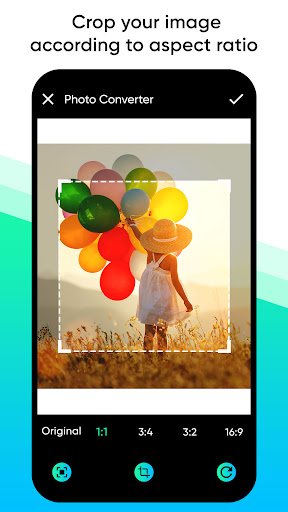


Image converter to svg, jpeg, pdf, bmp. Easily convert any image format or file
Image converter enables us to convert any image file formats like JPG, PNG, WEBP, into another. With the simple jpg converter, you can convert image to jpg, jpg to png, heif to jpg, and much more for free. Just add your photo to be converted and choose the new format that you are looking for. Crop, resize photos in different ratios and save using an easy and fast image converter tool. ‘Save as’ your raw images in the new format! Png to Jpg Converter supports all modern image formats with a user-friendly interface. You can seamlessly change without compromising on quality using this image format converter. Convert Any Image Convert many images into formats best suitable for Instagram, web, application, social media, etc. All image conversations and editing can be done here, let your pictures support many image viewers and browsers. It’s easy to upload images from devices, Google drive, memory, etc. Image Converter to PDF, SVG, Etc.. Use the best features of this pdf photo converter to change JPG, PNG, SVG, and other pictures to PDF format effectively. Convert image to pdf with the top features of this pic converter. Save the converted photo to the folder using this image resize app. Photo Converter All Image formats have their distinct features and they are used for different purposes. Convert any photo you like to different formats using a jpg png image photo converter. There is also an option to delete the photo in the folder. Share the converted photo through different social media platforms like Facebook, Instagram, WhatsApp, etc. with this free image converter. Key features Convert image to different formats Crop photo in different ratios Resize image without compromising on quality Option to delete photo in folder Save the converted photo to the folder Share the converted photo through different social media platforms Download this image converter app and convert photo to different formats, all for free.
4 years on Google Play
This app isn't currently appearing in any tracked top charts.