
북이오 - 함께 읽는 전자책 플랫폼
Updated Mar 23, 2026 · v1.1.6




Meet Bookio, an e-book platform where you can read ‘Share your unique thoughts’ together! You can experience a deeper reading by sharing your thoughts and impressions with each other.
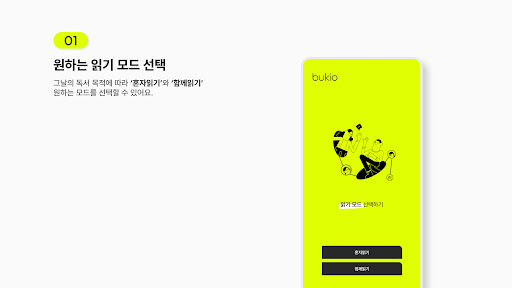
■ Only available in North Io! Select a reading mode when opening the viewer. - Depending on your reading purpose, you can select the desired mode between ‘Reading Alone’ and ‘Reading Together’. - In ‘Read Alone’ mode, you can read a book quietly alone while concentrating on the text. - In ‘Read Together’ mode, you can share your reading records with group members in real time. ■ Read the reading records and ‘comments’ of experts and influencers along with the book. - Commentaries purchased from the Bookio site can be viewed by activating them in ‘Read Alone’ mode. - If you purchase multiple commentaries for one book, you can select and read the commentary you want one at a time. ■ You can read books while sharing each other's reading records. - In ‘Read Together’ mode, you can share highlights and notes with group members in the group you have joined. - You can also collect the sentences highlighted by the most people or only the highlighted sentences of specific people. - You can recommend notes you like or copy them in ‘read alone’ mode. ■ Read with people you want. - ‘Reading Together’ is done in groups. - You can browse the group list and join the group you want or create your own group. - When creating a group, you can set whether the group is public (public/private), the number of people in the group, etc. ■ Manage your groups. - In the ‘My Groups’ menu, you can check the list of groups you have created and the groups you have joined and manage the groups. - If you are the group leader or a group member, you can invite any member you want to the group. - If you are the group leader, you can ‘export’ or cancel ‘export’ specific group members. ■ You can take notes on any device that supports a pen. - You can take notes when viewing PDF books on devices that support a pen. - Provides various writing options such as color / thickness / transparency. - You can back up and restore your handwriting records through the app settings menu. [App access permission information] ■ Required access rights -Storage space: Required for storing handwriting data. ■ Select access rights -Camera, photo: Required for registering a user profile photo. [Terms and Conditions] ■ Terms of Use: https://buk.io/terms ■ Privacy Policy: https://buk.io/privacy [inquiry] ■ Email: support@buk.io ■ Customer Center: https://buk.io/help/main
This app isn't currently appearing in any tracked top charts.