
TapOnNote
Updated Feb 16, 2026 · v1.1.3


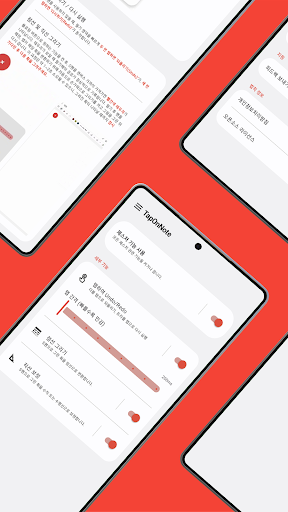


A must-have app for Samsung Notes! Undo with a tap, draw perfect straight lines and dotted lines with the S Pen.
Have you ever wanted to draw perfectly straight or dotted lines with the S Pen on your Samsung Notes? Have you ever wanted to "undo" without having to reach for the toolbar? TapOnNote is the smartest way to elevate your S Pen handwriting experience to a professional level. Key Features 1. Drawing Assist (Floating Button) - Straight Line Correction: Create perfect vertical and horizontal lines even with a rough drawing. Essential for drawing tables and diagrams. - Dotted Line Drawing: Convert any pen tool drawing into a beautiful dotted line. - Detailed Settings: Use the sliders in the floating menu to directly adjust the length and spacing of the dotted lines to create your desired style. 2. Quick Gestures (Tap to Undo/Redo) - Instantly undo your work by lightly double-tapping the screen, and redo it by triple-tapping. No more searching for the toolbar. 3. Smart Automation - All drawing features in TapOnNote work best when the "Draw with Finger" option in Samsung Notes is turned off. But don't worry! By default, if you leave this option off, TapOnNote uses smart automation technology to briefly turn it on when you use the feature and then automatically turn it off when you're done. Important: Pre-Usage Instructions 1. "Draw with Finger" Option: For the best experience, we recommend turning "Draw with Finger" off in Samsung Notes Settings > Advanced Features > . 2. Wait for Automation: After using the drawing feature, when you lift the pen, the automation process (approximately 1-2 seconds) will begin and the result will appear. Please wait a moment. Permissions and Privacy Policy TapOnNote requires the following permissions to provide the app's core features. We prioritize your privacy and promise not to collect or transmit any data to external parties. * Accessibility Service: This service detects the user's tap gesture and automatically draws the converted straight/dotted lines on the screen. We do not collect any information, including your handwriting. * Display over other apps: This is required to display the floating button and drawing area above Samsung Notes. For more information, please refer to the Privacy Policy in the "App Info" menu. Experience faster and more accurate S Pen handwriting with TapOnNote today!
This app isn't currently appearing in any tracked top charts.