
Wisper AI: Voice to Text Notes
Updated Jul 25, 2026 · v2.2.6


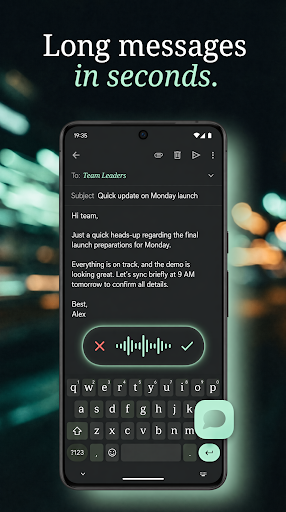


AI voice to text keyboard & dictation app. Transcribe speech into clean notes.
Talk instead of type. Wisper is a voice-to-text keyboard that turns your speech into clean, ready-to-send text inside any app — WhatsApp, ChatGPT, Gmail, Telegram, Slack, Notion, Claude and 1,000+ more. No more thumb-typing long messages. Just tap, talk, done. ▍ DICTATE IN ANY APP A floating bubble appears next to your keyboard the moment you tap a text field. Tap it, speak, and your words land as polished text — right where your cursor is. Voice typing that works everywhere, not just one notes app. ▍ AI THAT CLEANS UP YOUR WORDS Wisper doesn't just transcribe — it removes "ums," filler and false starts, fixes punctuation and capitalization, and hands you text you can actually send. Speech to text that reads like you wrote it. ▍ SPEAK 100+ LANGUAGES Talk naturally, even switch languages mid-sentence. Wisper types it out — and can translate as you speak, so you talk in your language and send in another. ▍ BUILT FOR REAL DICTATION • Voice typing keyboard for chats, email, notes and search • Talk-to-text for long messages, hands-free • Dictate meetings, lectures and voice notes into clean, structured text • Continuous voice typing — keep talking, it keeps up • Your own dictionary for names, brands and terms • Undo any paste; pick your writing style per app ▍ A FLOATING BUBBLE, NOT A CLUNKY KEYBOARD Wisper doesn't replace your keyboard, so nothing gets laggy and your typing stays yours. The bubble just floats next to any text field when you want to talk. No switching keyboards, no resizing, no risking your chat accounts. ▍ FAST, CLEAN, NO ADS Low latency, no ad clutter, no login wall to start dictating. Handles long pauses and run-on thoughts. If a transcription ever fails, your audio is saved so you can retry — you never lose what you said. ♿ ACCESSIBILITY Wisper helps people with RSI, arthritis, limited hand mobility, dyslexia and ADHD write faster by voice. Dictation as an accessibility aid is a core use case. Accessibility Service Disclosure Wisper uses the Android Accessibility Service to provide universal voice dictation across all apps. This is required because Android does not provide a standard API for third-party apps to detect text field focus or insert text into other apps. Wisper uses the Accessibility Service exclusively for: - Detecting text fields: Identifying when you tap into an editable text field so the dictation bubble appears automatically, by monitoring window and focus change events. - Inserting dictated text: Pasting your transcribed speech directly into the active text field without replacing your keyboard, using the accessibility input connection. - Detecting keyboard visibility: Showing or hiding the bubble based on whether the on-screen keyboard is open. - Diagnostics and crash logging: Limited accessibility data, such as app performance and device identifiers, may be used to troubleshoot issues. Wisper does NOT use the Accessibility Service to collect, store, or share any personal data from other apps when dictation is not active. The Accessibility Service is used solely for the core dictation functionality described above. We do not work around Android's built-in privacy controls, change system settings without your permission, or use deceptive interface practices. Stop typing. Just talk — in any app. Stop typing. Just talk — in any app.
0 years on Google Play
This app isn't currently appearing in any tracked top charts.