
AI Slide & PPT Maker: AISlide
Updated Jun 20, 2026 · v1.11.0




Create AI presentations, slides & PDF. Generate PPT from any topic instantly
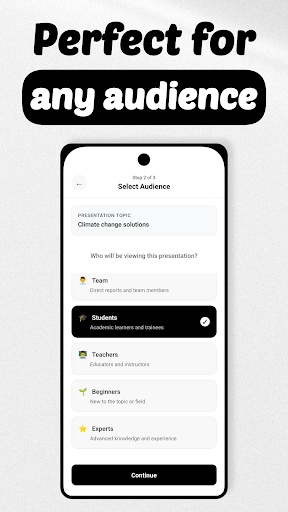
AISlide Create presentations from a simple chat with AI Turn any topic into a polished presentation in minutes. Type your idea, chat with an AI assistant, refine slides in natural language, then download as PDF or share a live preview. Fast, accurate, and built for creators, teams, teachers, and marketers. Why AISlide - Chat-like workflow: describe your topic, goals, and audience in your own words. - Auto-generate slides: outlines, key points, visuals suggestions, and speaker notes. - Edit by talking: ask the assistant to add data, rewrite sections, or change tone. - Instant export: download as PDF or share an online preview link. - Iterative by design: refine structure, length, and style until it’s just right. What you can do - Pitch decks: go from concept to concise investor-ready slides. - Lessons and lectures: create course materials with clear learning outcomes. - Sales and marketing: build product overviews, comparisons, and case studies. - Reports and summaries: turn documents or ideas into slide-based narratives. - Workshops and webinars: structure agendas, activities, and takeaways. Key features - Natural-language editing: “Shorten slide 3,” “Add a case study,” “Make it more formal.” - Smart structure: titles, bullet points, transitions, and summarization built in. - Content controls: choose slide count, depth, reading level, and tone of voice. - Media-ready: get suggestions for images and graphics to enhance each slide. - Citations and notes: add references and speaker notes where needed. - Versioning: duplicate and branch presentations to explore alternatives. - Privacy-first: your drafts and exports stay under your control. Benefits - Save hours on first drafts and revisions. - Keep quality consistent across teams and projects. - Focus on message and story, not formatting. - Produce share-ready decks on tight deadlines. Who it’s for - Educators and students - Founders and startups - Sales, marketing, and customer success - Consultants and agencies - Community leaders and non-profits How it works 1. Describe your topic, audience, and desired outcome. 2. AISlide generates a complete presentation draft. 3. Chat to refine: add data, adjust tone, reorganize slides. 4. Export to PDF or share a live preview link. Social proof - Loved by early users for speed and clarity. - Frequently described as “the fastest way to a solid first draft.” - Used for classes, pitches, and team updates worldwide. Technical details - Export: PDF, online preview link - Modes: create, chat-edit, version history - Works online; stable internet connection recommended - In-app purchases - Languages: English at launch; more languages coming soon - Permissions: network access for generation and export Support and contact - Help center and FAQs available in-app - Email: support@mobilecraft.io - Website: www.aislide.app
0 years on Google Play
This app isn't currently appearing in any tracked top charts.