
AI Icon Changer
Updated Jan 19, 2025 · v2.0.6
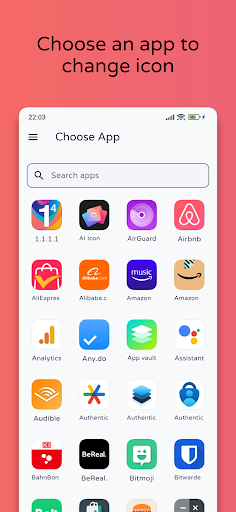


Ai Icon Changer lets you create custom icons for your apps in seconds.
AI Icon Changers lets you easily create unique, AI-generated icons for your apps, adding a personal touch to your homescreen. How to Use: Open the AI Icon Changer app. Select the app you want to customize. Enter a prompt to generate a new icon. Optionally, edit the app's name. Create your icon. Go to your homescreen to view your new shortcut icon. Create a personalized look in just a few steps! ABOUT THE WATERMARK On some Android version, the system automatically adds a watermark to the shortcut icon. We provide a way for you to change the app icon without any watermarks using widget technology. 1. Navigate to the home screen or desktop, long-press on an empty space, and select "Widgets" from the pop-up menu. 2. Locate the "AI Icon Changer" widget on the widgets page, long-press it, and drag it to your home screen. 3. Once placed, the AI Icon Changer widget will open automatically. From there, customize your app icons seamlessly without watermarks.
1 year on Google Play
This app isn't currently appearing in any tracked top charts.