
神戸新聞 紙面ビューワー
Updated Jun 11, 2026 · v2.9.1
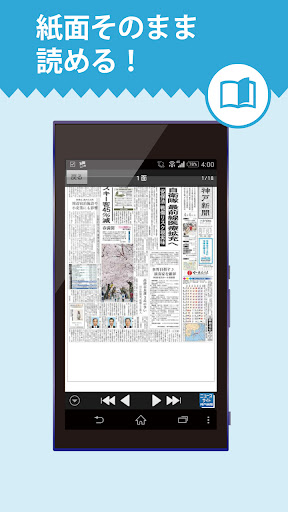


It is an application that allows you to view the image of the Kobe Shimbun on your Android device. You can see the final version of the morning and evening editions of the last 7 days and the pages of all regions in high-definition display.
Enjoy the Kobe Shimbun newspaper on your Android device! This app allows you to view images of the Kobe Shimbun newspaper on your Android device. You can view the final editions of the morning and evening editions, as well as all regional editions, for the past seven days in high-resolution. [Price] The app is free to download, but you must register as a member of the Kobe Shimbun's online edition, "Kobe Shimbun NEXT," to use it. If you're not a member, please first sign up for the "Regular Reader Course" (available only to Kobe Shimbun readers) or the "Premium Course" (available only to the online edition). For details, please visit the news website "Kobe Shimbun NEXT." [Available Content] ・Morning edition (final edition) ・14 regional editions and wide pages ・Evening edition (final edition)* ・Daily digital edition front page* [Features] ・Images of the morning edition for the current day are updated around 5:00 AM, the daily digital edition around 6:00 AM, and the evening edition around 4:00 PM. You can download the newspaper for the past seven days, including the current day. ・Downloading allows you to read in places without a signal. ・You can enlarge small text. [Disclaimer] ・To use the app, you must register as a "Kobe Shimbun NEXT" member. For more information, please visit: https://guide.kobe-np.co.jp/item/course/4courses/ ・Some articles, photos, and advertisements will not be published in the morning, evening, and local editions. ・The app will not be updated the day after a newspaper holiday. [App Features] ・Tap the icon to launch the app. ・Enter your Kobe Shimbun NEXT ID and password from the login page to log in. ・After logging in, download the edition you want to view. The page (page) display screen will be displayed. ・Double-tap to zoom in four levels. Once maximized, double-tap again to return to full-screen view. ・Press the "Forward" and "Back" buttons at the bottom of the screen to move forward or backward through the pages. Or, flick the page (with your finger). ・Press the "List" button at the bottom of the screen to display the "Page List" screen. - On the "Page List" screen, a blue circle indicates that the page has been downloaded. Black pages indicate unread pages, while gray pages indicate read pages. [Terms of Use] https://policy.kobe-np.co.jp/item/terms/next-kiyaku/ [Privacy Policy] https://policy.kobe-np.co.jp/item/privacy/policy/
12 years on Google Play
This app isn't currently appearing in any tracked top charts.