
NissanConnect マイカーアプリ
Updated Jun 29, 2026 · v2.6.3



Connected service for dealer option navigation
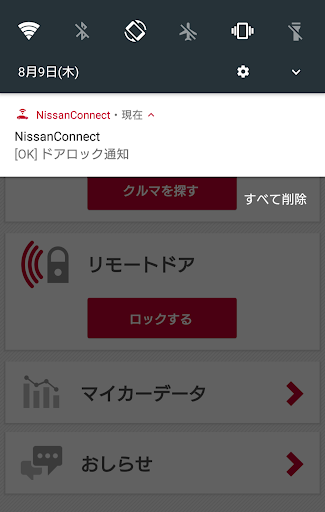
Android 17 compatibility added. ◆Applicable Vehicles: Nissan original navigation systems equipped with a dealer-option NissanConnect communication adapter The NissanConnect My Car app works in conjunction with vehicles equipped with a NissanConnect service-dedicated TCU navigation system, providing connected services through the app. You can check the status of your car even when you are away from it. 【Main Features】 ・ You can check the approximate location where you parked your car on a map within the app. ・ If you think you might have forgotten to lock the car doors, you can remotely lock them. ・ If a warning light illuminates in your car, you will receive a notification in the app. ・ You can enjoy daily and monthly drive logs linked with your driving trip data. (New Feature) ・ You can check NissanConnect messages sent to your car navigation system from the app. (New Feature) 【Applicable Vehicles】 * Vehicles equipped with a Nissan original navigation system with a NissanConnect communication adapter (voice-enabled version) and capable of acquiring vehicle data* *This app cannot be used on some vehicles that do not support CAN connection. * After registering your NissanConnect ID and password, issued upon service enrollment, from the vehicle's navigation screen, log in to the smartphone app using the same ID and password. 【Notes】 * If your smartphone's USB debugging mode (a function that allows external devices to control the smartphone via USB connection) is "on," this app will not start and an error message will be displayed. In such cases, please turn USB debugging mode "off." 【Contact Information】 NissanConnect Customer Center TEL: 0120-981-523 Operating Hours: 9:00 AM - 5:00 PM (excluding New Year holidays)
This app isn't currently appearing in any tracked top charts.