
納品予定アプリ
Updated Jul 8, 2026 · v1.1.2


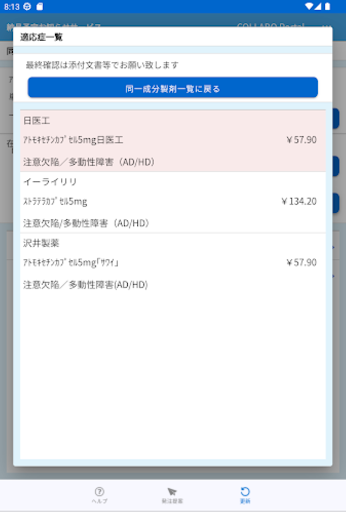
You can check the estimated delivery date and the current status of the ordered products in an easy-to-understand manner.
(1) The scheduled delivery date and the scheduled delivery quantity are displayed by order date and product unit. (2) The status of the product will be displayed as Procuring → Preparing for shipment → Under delivery → Delivered, so you can grasp the current status. (3) You can see the missing items at a glance with the background color. ④Limited shipment product (shipment adjustment product) information will be displayed. ⑤ Display a list of the same formulation ingredients that are in stock as substitute information in the event of a shortage. ⑥ You can check the package insert and indication list of substitute products.
This app isn't currently appearing in any tracked top charts.