
OSHIStamp: YouTube Timestamps
Updated Aug 16, 2026 · v1.46.1



A tool to create timestamped YouTube video notes with intuitive controls.
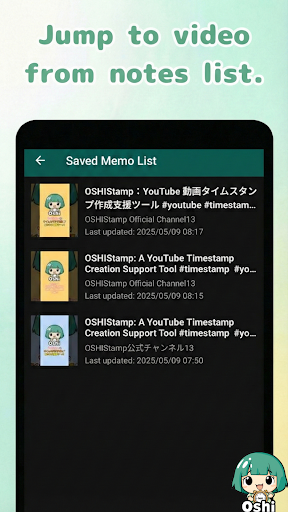
“OSHIStamp” lets you take notes with timestamps in real time while watching YouTube videos (including live streams). Make your fan-activities more fun and convenient—give it a try! 🔧Key Features ✅ Real-time note-taking with timestamps while watching YouTube videos (live streams supported) ✅ One-tap insertion of timestamps ✅ Tap any timestamp in your notes to jump straight to that moment in the video ✅ Long-press any timestamp in your notes to open time adjustment dialog for precise editing (adjustable in 10-minute, 1-minute, 10-second, 1-second increments) ✅ Automatically save notes per video ✅ From your list of saved memos, jump directly back to each video ✅ Option to switch to video publish date display (the displayed time may have some discrepancies) ✅ Switch between memo and chat display in memo area (live streams & archives supported) ✅Display video chat as danmaku-style scrolling comments over the video * Not available in fullscreen mode ✅ Skip forward or backward in the video (choose from 1 sec, 5 sec, 10 sec, 1 min, 5 min, or 10 min) ✅ Added playback speed options (0.5x, 1x, 1.5x, 2x, 2.5x) ✅ Export/import your data for backup (cloud storage like Google Drive supported) ✅ Connect with the Chrome extension on your PC to automatically sync timestamp memos both ways via Google Drive * Requires connecting to Google Drive in the Chrome extension first 👉️How to Use 1. Launch the app and play a YouTube video 2. Add timestamps or notes in the note area at the bottom of the screen 3. Tap a timestamp to jump instantly to that time in the video 4. Access all your saved memos from the menu and jump back to any video 📌Note To hide YouTube ads, log in within OSHIStamp using a YouTube Premium–enabled account.
1 year on Google Play
This app isn't currently appearing in any tracked top charts.