
BumpRecorder
Updated Jul 30, 2025 · v5.5.5




It measure the road roughness for pavement maintenance management.
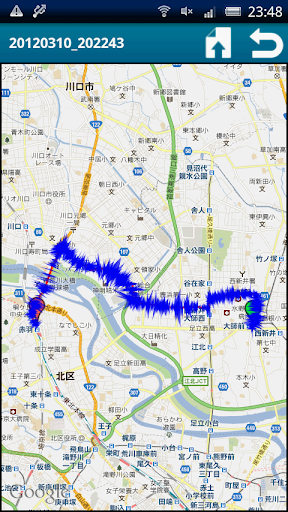
Major Version Up (4.5) - Add Functions : Data auto upload, Data auto delete. Delete data are uploaded data and too short data. - Improve Functions : Add graphical display on [Graph] tab for GPS accuracy. - Bug Fix : App was quit when long recording on [Navi] tab. Outline Using this application, only the smartphone put on the vehicle dashboard, road bump can be detected. It can use for road maintenance in usual time, and earthquake damege research after the disaster. When the recorded file is uploaded, road bump location map can be displayed by following URL by on your browser. http://smartprobe.org/bumprecorder/ If you want to contact us. : Twitter @BumpRecorder How to use? 1. The smartphone put on the vehicle dashboard on horizontally or vertically, don't put on diagonally. [attention!!] We are strongly recommend you, the smartphone should fix on the dashboard for your safety. 2. Press [REC] button, then road bump detection will be started. The vehicle is driven as usual. 3. Road bump size is displayed on the screen. [attention!!] DON'T look at the screen, when you drive the vehicle for your safety! 4. When measurement is finished, press [REC] button. 5. For upload files, press [Upload and Share] button at the screen of right top side, and select file, then upload will be start. It takes few moments. 6. Then the driving route, the bump location will be displayed on the Google Maps. Circle diameter is defined by road bump size. About data files data files as follows. When upload will be done, these files will be uploaded. - config file : yyyymmdd_hhmmss_Config.txt measurement condition : start time, end time, measurement cycle, device name, etc NOT include serial number - acceleration data file : yyyymmdd_hhmmss_Accel.txt acceleration data, road profile, etc - GPS data file : yyyymmdd_hhmmss_GPS.txt GPS information - Bump data file : yyyymmdd_hhmmss_Bump.txt Bump Height, Bump Length, etc - Cell tower data file : yyyymmdd_hhmmss_CellInfo.txt MCC, MNC, LAC, RNC, Cell-ID, etc NOT include phone number Twitter ID : @BumpRecorder
15 years on Google Play
This app isn't currently appearing in any tracked top charts.