
Photo Slideshow, Digital Frame
Updated Aug 29, 2026 · v1.5.9




Turn any tablet into a digital photo & video frame. Google Photos, NAS, Dropbox.
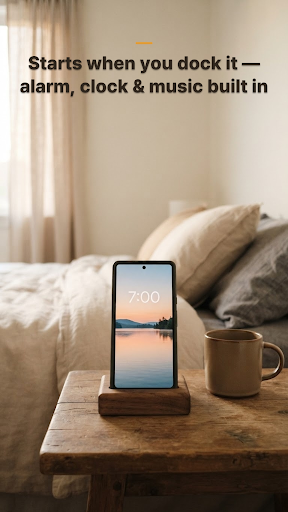
📱 PicDock – Photo & Video Slideshow | Digital Frame PicDock turns any Android phone or tablet into a beautiful digital photo and video frame. Perfect for giving an old device a second life. Set it on your bedside table, kitchen counter, living room shelf or office desk, and your favorite memories come back to life with elegant transitions, live weather and a clock. ⸻ ✨ Why PicDock • No interruptions — your slideshow never stops to force a break or push you to upgrade • Buy once, use everywhere — one purchase works on every device signed in to the same Google account • Generous free version — cloud sources, NAS, videos and face detection are all free ⸻ 🖼️ Photos & Videos, One Slideshow • Automatic slideshow (5 seconds to 10 minutes per photo) • Videos play right in the slideshow • Smooth transitions: fade, slide, zoom, flip and many more • Ken Burns cinematic pan & zoom • Photo filters: black & white, sepia, vintage, warm, cool • Shuffle or sort by date • Show the capture date from EXIF, location and album • Favorites and hidden photos, managed in one place • Dual-photo mode fits two portrait photos on a landscape screen ⸻ ☁️ Every Photo You Own, In One Frame • Google Photos — pick the photos you want, they are saved on your device and play even offline • NAS / SMB network shares • Dropbox and OneDrive • iCloud Shared Albums • Web upload from any browser on your network • Mix several sources into a single slideshow ⸻ 🧠 Smart Display • Face detection — show only the photos with people in them • Smart Focus automatically keeps faces in frame • Adaptive Fit fills the screen without awkward cropping • Blurred background for photos that don't match the screen shape ⸻ 💝 Share a Memory Turn any photo into a beautiful memory card and share it to Instagram Stories or anywhere else, in a single tap. ⸻ 🌦️ Live Weather On Your Memories • Current temperature and conditions • Animated rain and snow • Hourly forecast and 5-day forecast • Automatic location or pick your city ⸻ 🎵 Background Music • Play your own music files • Built-in ambient and relaxing tracks • Shuffle, loop and volume control ⸻ ⏰ Clock & Alarm • Multiple clock designs • 12-hour or 24-hour format • Custom date formats • Alarm with snooze — wake up to your favorite photos ⸻ 🌙 Night Mode & Power • Automatic night mode on your schedule • Adjustable night brightness • Keep the screen on • Start the slideshow automatically when charging • Battery status display ⸻ 📺 TV & Screensaver • Works on Android TV and tablets • Use PicDock as your device's screensaver • Control playback with a remote ⸻ 🎯 Perfect For • Turning an old tablet into a digital photo frame • A bedside display with clock and weather • Living room, kitchen or office photo frames • Cafes, restaurants and shops • Wedding slideshows and memorial displays ⸻ 💡 Free & Premium Free, with no time limit: • All photo sources — Google Photos, NAS/SMB, Dropbox, OneDrive, iCloud Shared Albums • Video playback • Face detection filter • Dual-photo mode and collage layouts • Night mode, alarm, battery display • Your own music files • Clock, date and current weather • Core transitions and filters Premium adds: • All 30+ transition effects • Smart Focus and Adaptive Fit • Every photo filter and clock design • Hourly and 5-day weather forecast • The full built-in music library • Slideshow intervals under 5 seconds • Web upload • No ads ⸻ 🚀 Getting Started 1. Install PicDock and allow photo access 2. Choose your photos — device albums or a cloud source 3. Adjust the slideshow to your taste 4. Turn on weather and the clock if you like 5. Dock your device and enjoy
0 years on Google Play
This app isn't currently appearing in any tracked top charts.