
Landscape Wallpapers 4K
Updated Sep 1, 2026 · v6.3.72


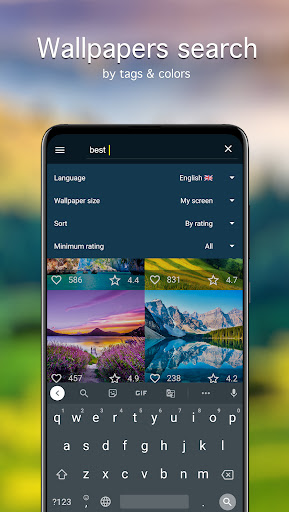


Curated 4K nature & landscape wallpapers with color search and categories.
Nature & landscape wallpapers in high resolution for Android — from Full HD (1080p) up to QHD, UHD, and 4K. HD backgrounds for phones and tablets: pick an image that fits your screen and looks sharp. Find the right wallpaper faster with categories, tags, and a handy color search. If you’re looking for landscape wallpapers, nature backgrounds, or scenic phone wallpaper, you can browse, preview, and set them in a few taps — without guessing how they’ll look on your device. What’s inside • Nature and scenic landscape images in multiple resolutions. • Manual moderation: pictures are reviewed before they’re added to the catalog. • 70+ categories, plus sorting by newest, rating, and popularity. • Preview, cropping, and separate setup for Home screen and Lock screen. • Favorites, scheduled auto-change, downloads, and day/week notifications. Browse & search your way Categories help you explore, tags help you narrow down, and search helps you jump straight to what you want. • Keyword search: find backgrounds by words. • Color search: choose a dominant color to match your theme, icons, or UI accents. • Sorting: check Newest first, or use Rating/Popularity to discover top picks quicker. Quality before you apply • Resolution: Full HD (1080p) and higher — QHD, UHD, 4K. A wallpaper can look different depending on your screen ratio — so you can prepare it before setting: • Preview on your device. • Crop/fit so the image is centered and clean. • Adjust preview quality to reduce mobile data usage while browsing. Set wallpapers how you prefer • Apply to Home screen only, Lock screen only, or both. • Support for different screen resolutions on smartphones and tablets (including tablet wallpaper setups). Favorites & auto-change Build your own set of go-to images: • Add pictures to Favorites for quick access. • Auto-change on a schedule: choose a source (for example, Favorites) and an interval, and the background will update automatically. • Use it as a simple wallpaper changer when you want a fresh look regularly. Download & save for later • Save images to your Gallery for deferred installation. • Save to an SD card if your device supports it. Notifications Get reminders for “Picture of the Day” and “Picture of the Week”. Messengers Use a selected image as a chat wallpaper in WhatsApp and other messengers. Getting started 1) Pick an image → Preview. 2) Crop if needed. 3) Tap Set → choose Home screen, Lock screen, or both. The collection is supported by the 7Fon team.
6 years on Google Play
This app isn't currently appearing in any tracked top charts.