
Lion Watchface ULTRA SGW7
Updated Oct 18, 2024 · vVARY


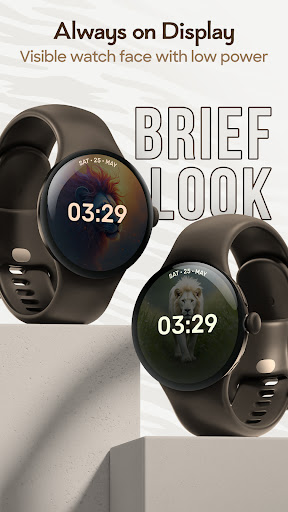


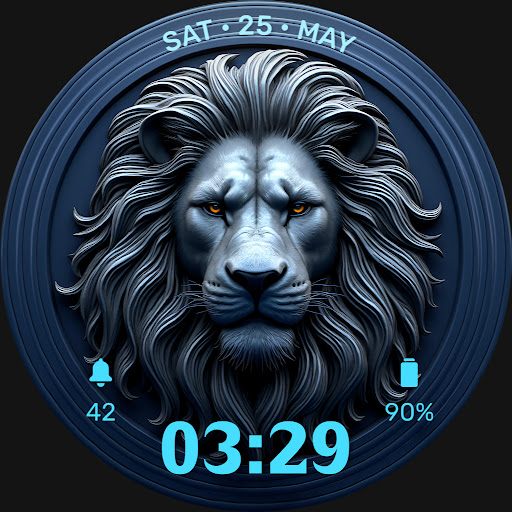
Add wild elegance to your Wear OS Watch with our stunning lion watch faces!
Add a touch of wild style to your wrist with the Lion Watchface ULTRA SGW7, perfect for Wear OS Watches! This eye-catching watch face showcases a stunning lion design. It’s filled with user-friendly features for a seamless experience. This lion watch face app is perfect for animal enthusiasts. Highlighted Features of Lion watchface App: • Lion Themed Digital Dials • Attractive Color Options • Customizable Complications • Battery Indicator • AOD Support • Supports Wear OS 3 and above watches. Supported Devices: Lion Watchface ULTRA SGW7 app is compatible with Wear OS 3+ devices. - Galaxy Watch 7 - Galaxy Watch 7 Ultra - Pixel Watch 3 - Fossil Gen 6 Smartwatch - Fossil Gen 6 Wellness Edition - Mobvoi Ticwatch Series - Samsung Galaxy Watch 6 - Samsung Galaxy Watch 6 Classic - Samsung Galaxy Watch5 & Watch5 Pro - Samsung Galaxy Watch4 and Watch4 Classic and more. Complications: You can select and apply the following complications to your Wear OS smartwatch screen: - Date - Day of the week - Day and date - Next event - Time - Steps count - Sunrise and sunset - Watch battery - World clock Customization & Complications: • Access Customization: Touch and hold the display. • Select Customize: Tap on the "Customize" option to begin. • Personalize Data Fields: In customization mode, adjust the complication fields to display your preferred data. Install Instructions: 1. Activate the Watch Face: • Long press on your watch screen, swipe left, and tap "Add watch face" to activate it from the Downloaded section. 2. Alternative Activation: • Open the Galaxy Wearable app on your phone, go to the "Downloaded Watch Face" section, and select the watch face to activate it.
1 year on Google Play
This app isn't currently appearing in any tracked top charts.