
Leaf Note - Markdown Note App
Updated Aug 5, 2026 · v5.2.3






Markdown knowledge base with E2EE sync, spaced review & AI-powered notes.
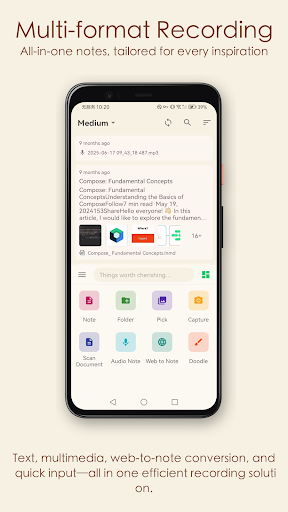
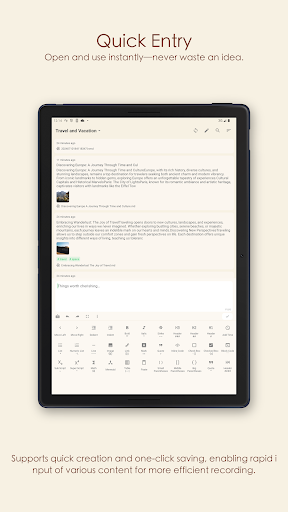
🌟 Leaf Note — A dual-platform app focused on Markdown note-taking and knowledge management, supporting WebDAV / iCloud / OneDrive sync, end-to-end encryption, and fully offline functionality. 1. 🎨 Beautiful Design & Personalized Themes The first time you open LeafNote, you’ll be instantly captivated by its minimalist and elegant interface — from smooth interactive animations to meticulously crafted card-based layouts, every detail has been thoughtfully refined. We offer multiple themes: whether it’s an eye-friendly dark mode for late-night writing or a bright, clean theme for daytime productivity, LeafNote delivers an immersive note-taking experience. 2. 🔒 Bank-Grade Security: Dual Encryption for Notes & App Security is at the core of our design philosophy: - Note Encryption: AES-256 encryption algorithm with user-defined passwords ensures your private content remains completely confidential; - App Lock: Secure the app with fingerprint authentication or a custom password to prevent unauthorized access. Even if your phone is lost or stolen, your knowledge assets remain fully protected. 3. ☁️ Cross-Device Sync: Access Your Note Universe Anytime, Anywhere Break free from device limitations — we support three major cloud services: - OneDrive / Dropbox: Sign in with one click for automatic synchronization — ideal for users accustomed to international cloud storage; - WebDAV: Compatible with private clouds (e.g., Synology, Nextcloud, JiaNuoYun), meeting the needs of advanced users. All sync operations use TLS-encrypted transmission, ensuring secure, worry-free data flow between cloud and local devices. Support for multiple data sources — configure and freely switch between several cloud servers. 4. 📝 All-in-One Note Types: No Boundaries for How You Record Whether crafting text or capturing multimedia inspiration, LeafNote meets all your needs: - Markdown Notes: Supports headings, tables, code blocks, and more — plus built-in MathJax formula editing (perfect for STEM students writing papers) and Mermaid flowcharts/mind maps (for efficient logical structuring); - Multimedia Notes: Capture ideas directly via images, voice recordings, and freehand sketches; - Web-to-Markdown: Paste any webpage URL to instantly parse and save its content as Markdown — bookmarking web articles has never been easier. 5. 🧠 From Personal Knowledge Base to Card-Based Notes: Flexible Adaptation to Learning Scenarios - Knowledge Base Mode: Build your personalized knowledge tree using “infinite hierarchical folders + tag system”; - Card-Note Mode: Single-note “quick capture” lets fragmented inspirations spark creative breakthroughs; - Note Search: Instantly locate any note among thousands — dramatically boosting retrieval efficiency; - Knowledge Review: Multi-dimensional review mechanisms reinforce long-term retention; - Data Analytics: Heatmaps + statistics give you real-time insight into your knowledge asset status. Whether organizing postgraduate exam materials, writing book reviews, or documenting startup ideas — LeafNote adapts to your unique workflow. 6. 🤖 AI-Powered Writing Assistance: Elevate Your Creative Output Built-in intelligent writing assistant helps overcome creative blocks — polish sentences, extract key points, expand drafts — so your writing flows effortlessly. 7. 📷 Image Processing: All-in-One Enhancement for Creative Assets No need to switch apps — edit images directly inside LeafNote: - Basic Tools: Crop, rotate; - Filters & Effects: Multiple artistic filters for one-tap image enhancement; - Image Notes: Attach descriptive captions to images — simplifying archiving and memory recall; - Image Hosting Support: Notebook images auto-upload to the cloud — making publishing and sharing seamless. ---------- 🚀 Start Your Creative Journey Now Your knowledge palace begins with LeafNote — where every note becomes a step toward growth.
5 years on Google Play
This app isn't currently appearing in any tracked top charts.