
FileManagerEx (Innocomm)
Updated Aug 3, 2026 · vVARY


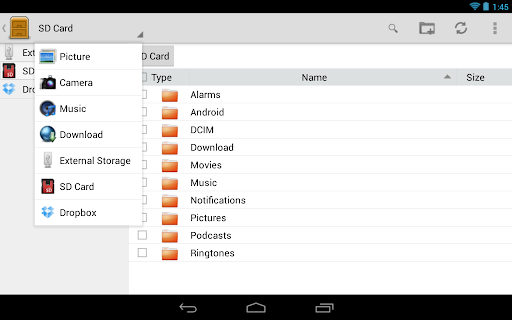


Want to manage your files as easy as on PC? FileManagerEx is what you need!
Just as easy to use as File Explorer on PC! FileManagerEx is made for Android 4.0.3 up, fully supports dark/light themes. ★ Two panes style as File Explorer and folder hierarchy display[1]. ★ Sorting by type, name, size, date[2]. ★ One screen provide all functions. No need to swith. * Supports Drag & Drop. ★ Light-weight and fast. The app only takes 1/10 memory when running, but provide the same or even better performance[3]! ★ Supports all basic processing of files/folders: copy, cut, paste, rename, info., delete, create folder[4]. ★ Search files on mobile phones/tablets. ★ Supports cloud storage[5] and direct lunch on cloud[6]. ★ Built-in fast picture viewer with EXIF support. ★ ZIP/UNZIP files/folders[7]. ★ Dynamically detect and display internal storage, SD card, USB disk/OTG[8]. ★ Suitable for any screen size. You can smoothly use it on phones/tablets. [1] Both show up on tablets. Folder hierarchy shows as a slider menu on phones. [2] Only available for the fields displayed on screen [3] Compared 3.0.0 with A***O 4.4-528. Check the differences of VmallocUsed after the apps lunched. [4] Android 4.4 & 5.0 natively do NOT allow to modify (add, delete, and rename files/folders) external storage(SD card, USB disk/OTG). [5] Need internet access. Supports Box, Dropbox, Google Drive(required Google Mobile Service, GMS), and Microsoft OneDrive now. We will gradually increase the supporting. [6] Limited support and need other apps to work. We suggest to run with Innocomm Player. [7] Only those with ASCII/UTF-8 encoded and without password [8] The running mobile phone/tablet must supports the devices.
13 years on Google Play
This app isn't currently appearing in any tracked top charts.