
Retro Clock Widget
Updated Jan 7, 2024 · vVARY


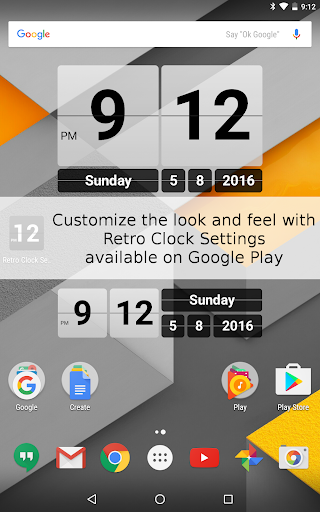
Lightweight retro style clock and date widget with links to alarm and calendar.
Now customize style and shortcuts with the Retro Clock Settings app, for sale on Google Play! Retro Clock Widget was one of the first clock widgets available for android and has been downloaded by millions of users over the years. This app provides a home screen clock and date widget based on the classical mechanical flipping clock. The widgets act as shortcuts to the systems alarm clock and calendar applications. When you want to customize the look and feel (like the colors, transparency, or shortcut applications), you can do so using the Retro Clock Settings companion app also available on Google Play. To use the widget: - long press an empty spot on the home screen - select "Widgets" - tap on Retro Clock / Date to add it to the home screen
This app isn't currently appearing in any tracked top charts.