
Rok Remote For Smart TV
Updated Mar 31, 2024 · v1.5.3


Remote control for TCL, Hitachi, and any Roku devices
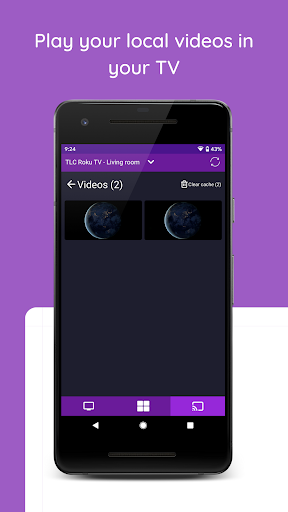
**This is a third-party app, This app is not affiliated to Roku Inc** Control all your Roku devices with this app. Main Features: - Control your Roku device as another remote - No Setup, just download and play, scan your local network and find your Roku devices. - Control your device volume. - Turn on and off your Roku TV. - View all your TV channels and open directly from your phone. - Navigation using the buttons or touchpad. - Simple and user-friendly. - Tablet support. - Support for multiple devices. - Cast your local files to your Roku TV or Roku Stick Device - Play your local music in your Roku device RemRoku is compatible with all Roku models: - Streaming Stick - Streaming Stick Express - Streaming Stick Express+ - Streaming Stick Premiere - Streaming Stick Premiere+ - Streaming Stick Ultra - Roku TV TCL - Roku TV Sharp - Roku TV Insignia - Roku TV Hisense - Roku TV RCA - Roku TV Hitachi - Roku TV Element If you want to perfectly turn on and off your TV you must enable the "Fast TV start" option in the configuration section. Configuration -> Power - Fast TV start Disclaimer: - This is a third-party app, This app is not affiliated to Roku Inc. - In order to find your Roku devices, your smartphone and Roku device must be in the same network.
5 years on Google Play
This app isn't currently appearing in any tracked top charts.