
Jupyter Notebook - JuNote
Updated Feb 27, 2026 · v1.0.1




Jupyter Notebook for mobile. Code Python, visualize data, and run notebooks.
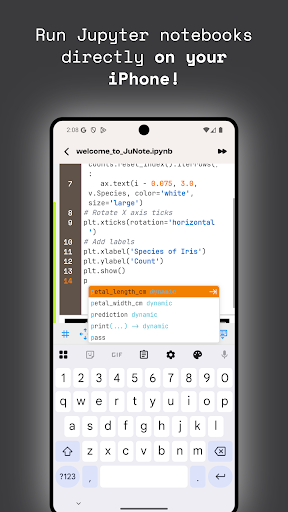
Jupyter Notebook - Mobile Python Development & Data Science Jupyter Notebook brings Jupyter notebooks, Python programming, and data science to iPhone, iPad, and Android. Turn your mobile device into a development and data analysis tool. Full-Featured Editor Complete Jupyter Notebook editor for mobile. Create and edit notebooks with code and markdown cells. Python syntax highlighting, code completion, and automatic formatting. Touch-optimized interface. Instant Python Execution Run Python code directly without installation. Connects to Python runtime via socket, executes in seconds. Supports pandas, numpy, matplotlib, scikit-learn. Run individual cells or entire notebooks. Results appear immediately: text output, error messages, visualizations. Handles user input for interactive scripts. Data Visualization Create charts with matplotlib. Supports 2D and 3D plots: line charts, bar charts, histograms, scatter plots, heatmaps, surface plots. Customize colors, labels, styling. Multiple colormaps: plasma, viridis, coolwarm. High-quality outputs render directly in notebooks. Markdown Documentation Write documentation with Markdown. Supports headers, lists, links, images, code blocks. Real-time preview with HTML rendering. Combine code and documentation seamlessly. AI-Powered Assistant "Mr. PyPro Mentor" powered by GPT-4o-mini. Get code explanations, optimization suggestions, debugging help, and best practices. Chat directly in the app. Send code for explanation, optimization, or error debugging. Google Colab Integration Access Google Colab projects directly. Open and edit Colab notebooks without a browser. Optimized WebView with full navigation. File Management Manage files and folders in-app. Create, open, edit, delete notebooks, Python scripts, documents. Organize with folder structure. Import from device storage, photo library, cloud storage. Supports images, documents, data files. Smart Code Features Code completion suggests relevant code based on context. Automatic formatting. Syntax highlighting. Add, delete, rearrange cells. Run individual cells or entire notebooks. Real-Time Output Results display in real-time. Supports text output, error messages, images, HTML. Outputs saved with notebooks. High-quality image outputs. Full HTML rendering. Clear error messages with stack traces. Jupyter Compatibility Full support for Jupyter Notebook format (nbformat 4.4), compatible with desktop Jupyter. Open and edit notebooks created on desktop. Auto-save. Metadata and kernel information preserved. Execution counts tracked. User Experience Mobile-optimized interface. Dark and light modes. Responsive design. Gesture controls, keyboard shortcuts, smooth animations. No Setup Required No Python or Jupyter installation needed. Connects to cloud-based Python runtime. Start coding immediately. No environment configuration required. Privacy & Security Data handled securely. Notebooks stored locally. Code execution on secure servers. Full control over files and data. Perfect for Data Scientists & Developers Ideal for data scientists, researchers, and developers. Run data analysis, create visualizations, prototype ideas anywhere. Supports popular data science libraries. Create and share notebooks with colleagues. Educational Tool Great for learning Python and data science. Create interactive tutorials. Learn by doing with code examples and visualizations. Teachers can create notebooks for students. Students can run and modify code on mobile. Subscription Options Free tier for basic usage. Premium tier for unlimited access and advanced features. Easy subscription management. Conclusion Jupyter Notebook mobile app provides everything needed for Python development and data analysis on mobile. With a full-featured editor, fast execution, beautiful visualizations, and an AI assistant, start your Python journey on mobile today.
0 years on Google Play
This app isn't currently appearing in any tracked top charts.