
PDF Converter - Images To PDF
Updated May 26, 2026 · v5.0.0




PDF Converter & PDF Tools - Images To PDF, No Ads - Privacy Friendly
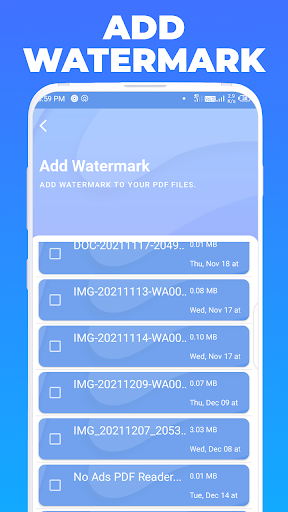
PDF Converter & PDF Tools - No Ads - Privacy Friendly - Qr & Barcode PDF Converter Pro - Lite free app is very comprehensive tool to perform various operation on pdf files. This is one of the best in productivity category and must have app. Privacy Friendly This app doesn't collect or share any user data. It doesn't even need an internet connection. It is a wholly contained app using only the files contained within it. App Features 1.Image To PDF 2.Text To PDF 3. QR & Barcode 4. Excel To PDF 5. Add Watermark 6. History 7. View File 8. History 9. No Ads 10. Show Page Number 11. Page Color 12. Create Greyscale PDF 13. Easy To Use 14. Privacy Friendly 15. Set password You can set passwords to protect your PDF files, and encrypt confidential files to be shared to prevent others from peeking at them. 16. Compress PDF files Support to reduce PDF size through compression. Set the image quality - low, medium, high, and original as needed. 17. Share converted PDF files Easily send and share converted PDF files via social media, Bluetooth, Email, quick share, etc. 18. Excel To Pdf Excel to pdf converter provides the facility for their user to handle their excel file in mobile phone for pdf conversion with a simple method. Today in fast grooming word one person handle multiple works on a smartphone so everyone easily converts excel to pdf and pdf to excel document to view Xls workbook as a pdf. FAQ: 1. Is There a limit on number of images i can add at once to create a PDF? Ans: No, there Are No Restriction. 2. What Images File Formats are supported? Ans: The App support JPEG,JPG,TIFF,GIF,PSD,BMP,EPS,PNG,ETC.
4 years on Google Play
This app isn't currently appearing in any tracked top charts.