
iRemote: Remote Control for TV
Updated Jul 2, 2026 · v1.2.1




Universal TV remote for Samsung, LG, Sony, TCL, Roku, Fire TV, Vizio & Hisense
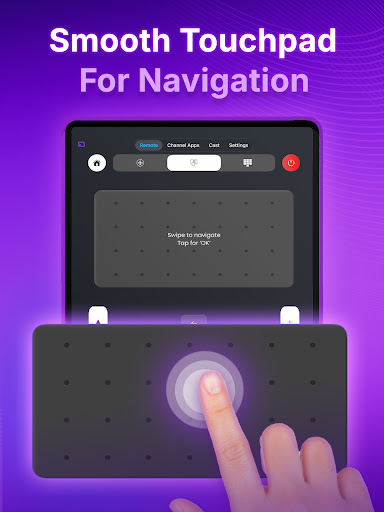
iRemote turns your phone into a powerful universal TV remote, so you never have to hunt for the physical remote again. Lost it, broke it, or just want a smarter way to control your TV? iRemote connects over your Wi-Fi network for fast, reliable control of your Smart TV. 📺 UNIVERSAL TV REMOTE • Intuitive trackpad to glide through menus and apps, just like a mouse — perfect for Netflix, YouTube and Prime Video • Smart keyboard: type passwords and searches from your phone instead of pecking at on-screen letters • Every essential key: power, volume, channels, playback, home, back, arrows and more • Auto-connect: iRemote finds Smart TVs on your Wi-Fi for instant setup 🔌 WAKE YOUR TV FROM YOUR PHONE Power your TV on with a single tap using Wake-on-LAN — no need to reach for the original remote. iRemote even reconnects automatically to your last TV when you reopen the app. 📱 ONE REMOTE FOR EVERY TV iRemote is a universal remote built for the major TV brands and platforms, including: • LG (webOS) • Samsung (Tizen) • Roku TV • Amazon Fire TV • Vizio • Hisense & Toshiba (VIDAA) • Sony, TCL, Xiaomi and more running Google TV / Android TV ✨ WHY iRemote • No extra hardware — works over your home Wi-Fi • Clean, modern design that is simple to use • Reconnects automatically to your last TV • One app to control every TV in your home HOW TO USE 1. Connect your phone and TV to the same Wi-Fi network. 2. Open iRemote and tap “Tap to connect TV” to scan for devices. 3. Pick your TV brand from the list. 4. You are all set — enjoy full control and Wake-on-LAN right away. Make your phone the only remote you will ever need. Download iRemote today! Terms of Use: https://techsmart.bio/remotetv/remote-tv-terms-of-use.html Privacy Policy: https://techsmart.bio/remotetv/remote-tv-privacy-policy.html
0 years on Google Play
This app isn't currently appearing in any tracked top charts.