
AI Gahaku: Photo to Painting
Updated Aug 2, 2026 · v3.23.28


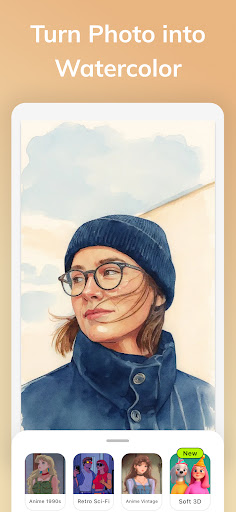


Turn photos into watercolor, oil painting, and sketch style art
AI Gahaku turns your photos into painting-style artwork with watercolor, oil painting, sketch, and other art filters. Instead of a generic AI art generator, AI Gahaku is best when you want to transform a real photo into a specific visual style. Try different painting looks on portraits, selfies, pets, or landscapes and compare which style fits your image best. What you can do with AI Gahaku: - Turn a photo into watercolor style art - Create oil painting and sketch style versions of your image - Try portrait filters and painting-inspired looks - Save high-resolution results and share them easily - Explore multiple art styles without learning complex editing tools AI Gahaku is designed for fast style transformation. Choose a photo, test a filter, and save the version you like best. It works well when you want a painting effect that still keeps the original photo recognizable. Download AI Gahaku and turn your photos into painting-style art in a few taps.
5 years on Google Play
This app isn't currently appearing in any tracked top charts.