
ShotKam Legacy
Updated Apr 16, 2021 · v2.1


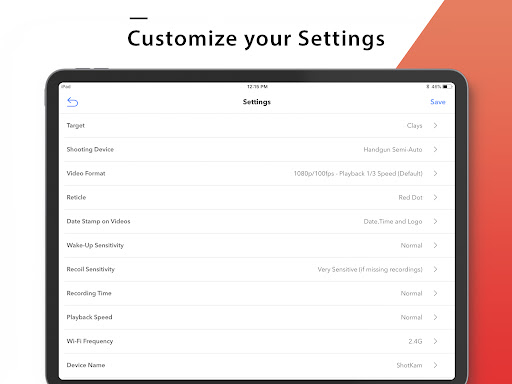
Easily connect the ShotKam Camera to your Android mobile device using this app.
New Features: - Updated app icon - Hold down the frame-by-frame arrow to continuously advance forward/backward - Select and download all your videos at once (previously limited to 4 at a time) How to Connect: 1. Turn on your ShotKam's Wi-Fi 2. Connect to the ShotKam Wi-Fi network in your device Settings 3. Open the ShotKam App Features: 1. Watch live stream video from your ShotKam 2. Change modes for video quality, length, and playback speed 3. View, download and delete videos 4. Watch shots frame-by-frame 5. Select your gun type (Over and Under, Semi-Auto, or Pump) 6. Select your target type (Clays, Flying Birds, Ground Game, etc) Additional Notes: - ShotKam app is only for mobile devices from 2015 or newer - Not available for computers
6 years on Google Play
This app isn't currently appearing in any tracked top charts.