
FG Bookmarks
Updated May 22, 2026 · v2.0






Bookmark URLs, apps, YouTube videos & Google Maps locations fast.
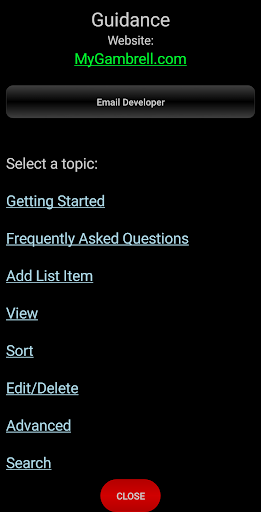
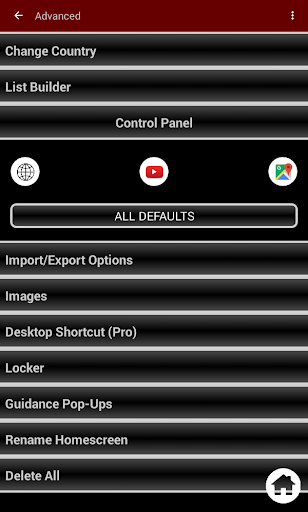
FreeGB – Bookmark Manager & App Launcher FreeGB is a simple, privacy-first bookmark manager for URLs, YouTube videos, Google Maps locations, apps, and games. Launch destinations directly in Google Maps or YouTube. Includes an app launcher. Created 10/8/2016 and updated frequently. Works on tablets in both portrait and landscape orientations. Bookmark Features Save bookmarks from any browser, app, game, Google Maps, or YouTube using Android “Share.” Launch bookmarks, YouTube videos, or Google Maps locations directly in their respective apps. Works offline with optional network usage for favicon or image retrieval. Organize bookmarks and apps quickly with a privacy-first design. Label Management Create labels for bookmarks and apps. Long-press labels to delete, share groups, edit, multi-delete, sort, change colors, alphabetize, or lock/unlock entire groups. Bookmark Actions Long-press individual bookmarks to delete, share, edit, multi-delete, sort, change color, lock/unlock, and set default or individual launcher. Locker / Private Bookmarks Secure private bookmarks with a pattern lock for sensitive links. Widgets Use a scrollable flat list widget with a refresh button. App icons launch apps or bookmarks. Launch destinations to Google Maps or YouTube directly. Sorting & Organization Drag-and-drop bookmarks individually or by group. Multi-sort moves bookmarks to specific folders or labels. Group sorting supported. Real-time sorting applies when new bookmarks are added. Edit / Delete Edit or delete individual bookmarks. Multi-delete or delete all bookmarks at once. Images & Favicons Retrieve favicon from any website. Replace favicon with custom images from your gallery. Optional network connection for image retrieval. Font Size & Toolbar Adjust font size for labels and apps/bookmarks with a live preview. Toolbar allows fast switching between labels. Apps Integration Add installed apps to the list. Sort apps like bookmarks. Launch bookmarked apps quickly. Import / Export Bookmarks Backup all bookmarks, locker, and settings. Send or receive HTML backup via Bluetooth or email. Import/export to SD card, Chrome, Firefox, Safari, or Android System. Manual or automatic backup supported. View & Colors Switch between grid, bubble, favicon, toolbar, or URL display. Customize colors for labels, text, and background via color wheel or hex. Apply colors individually, multi-select, or use default. List Builder Quickly add top 100 Google websites by country. Switch between countries using shortcut buttons. Help & Support Custom help pages on every screen. Step-by-step tutorials available from the help menu. Website: http://www.MyGambrell.com Permissions Bluetooth: import/export Network access: optional for favicon/image retrieval Privacy Guarantee FreeGB does not collect any user information. No behavioral data, no favorites, no most visited, and no browsing history is stored. All data is stored on your device. Upgrade to Gambrell Bookmarks (Pro Version) Pro adds fully customizable expandable list view, advanced search, desktop shortcuts, custom images/colors, and faster organization for bookmarks and apps. Supported regions: Australia, Canada, India, Ireland, New Zealand, UK, US.
9 years on Google Play
This app isn't currently appearing in any tracked top charts.