
Theme Hub for KLWP Vol 1
Updated Feb 11, 2026 · v2.6.1


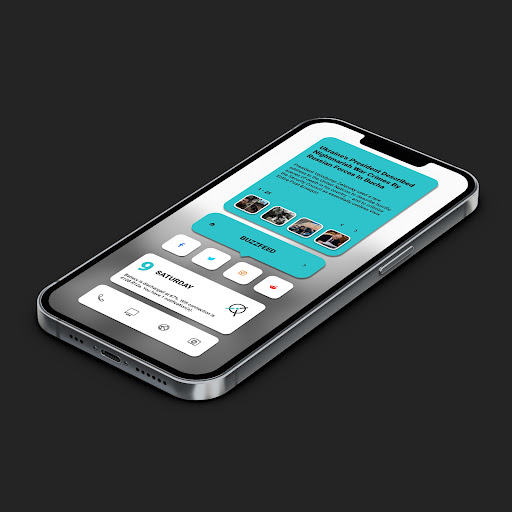


A pack of 3 KLWP themes with smooth animation and ultimate customization.
**** Klwp Pro and any standard android launcher are required.**** Please set the Transition Effect of Nova Launcher (if you are using Nova) to None. This will make the theme run smoother. + Supported different aspect ratios. + There are 4 themes. Please read the Theme's Description folder are placed inside each theme. + Themes are designed with smooth animation and they are functional. + Each themes includes main pages: 1. Settings page: let you select colors and switch mode (dark and light) easily and directly. 2. Calendar page: displays full calendar with detailed information of your events. You can navigate between dates. (Special thanks to Brandon Craft for the codes of Calendar.) 3. Music Player with smooth animated music visualization. 4. News page: includes 5 sources of News. (Please note that: some widgets in the video are now updated with better design) ****If you are using Huewei phones, you may face with the " wallpaper is not scrolling" issue. To fix this, please follow steps below: Please ensure that you have "background scrolling" enabled in your Launcher settings, for example, in Nova, you can find this in "Settings -> Desktop -> Wallpaper Scrolling". Then ensure that the image you set as background is larger then your screen (if you cropped it to screen size it wont scroll because there is nothing to scroll). Finally ensure that the number of screens in your launcher have the same count as the ones on the preset you are using. On some Huawei phones you need to go back to EMUI launcher (if its not your Launcher already), select a picture as a background and select the scrolling option on the bottom right, then go back to your Launcher of choice and KLWP. **** Please take a look at the folder below to get more tutorial materials about how to config Nova Settings, Force Wallpaper scrolling... https://drive.google.com/folderview?id=14Bh4q7ejEXeOnCg4FcDHDoQeEfCOdTXe Notes: 1. This is not a standalone app. You need: Nova Launcher Prime, KLWP pro to run it. 2. In Nova Settings, you need to do: A. Homescreen -> Dock -> Disable it B. Homescreen -> Page Indicator -> None C. Homescreen -> Advanced -> Show Shadow, off D. App Drawer -> Swipe Indicator -> off E. Look and Feel -> Show Notification Bar -> off E. Look and Feel -> Hide Navigation Bar -> checked Credits to authors of templates: + @vhthinh_at + http://istore.graphics + Kreativa + Atul Charde Credits: + Frank Monza: creator of KLWP editor + Brandon Crafts for codes of Calendar. If you have any troubles in using the theme, please email me. My email: dshdinh.klwpthemes@gmail.com Thank you very much!
6 years on Google Play
This app isn't currently appearing in any tracked top charts.