
Mp3 Tag Editor
Updated Apr 12, 2026 · v1.10.6


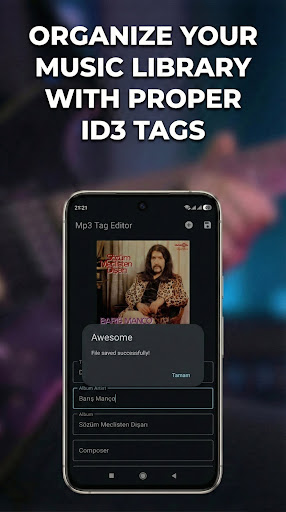
MP3 Tag Editor - Edit ID3 Tags, Album Art, Lyrics & Song Info Easily
🎵 MP3 TAG EDITOR - Complete ID3 Tag Editor for Android Edit your MP3 files' metadata with ease! MP3 Tag Editor lets you modify ID3v1 and ID3v2 tags, add album artwork, edit lyrics, and organize your music library perfectly. ━━━━━━━━━━━━━━━━━━━━━━━━━━━━━━━━━━━━━━━━━━ ✨ KEY FEATURES 🏷️ COMPLETE ID3 TAG EDITING • Title - Edit song name • Artist - Set performer name • Album - Organize by album • Album Artist - For compilations • Composer - Credit the songwriter • Genre - Categorize your music • Track Number - Set track position • Disc Number - For multi-disc albums • Year - Add release year • Comment - Add personal notes • Lyrics - Edit song lyrics 🖼️ ALBUM ARTWORK MANAGEMENT • Add album cover from gallery • Change existing artwork • Remove album cover • Supports JPEG images 📊 FILE INFORMATION • View file size • See audio bitrate • Check sample rate • VBR detection • Audio duration 💾 EASY FILE HANDLING • Browse and select MP3 files • Save edited files • Export to new location • Preserves audio quality 🎨 MODERN DESIGN • Material Design 3 interface • Clean and intuitive layout • Edge-to-edge display • Dark mode support (follows system theme) 🔒 PRIVACY FRIENDLY • No storage permission required • Uses system file picker • Your files stay private 💎 PREMIUM VERSION • Remove all advertisements • One-time purchase • Support development ━━━━━━━━━━━━━━━━━━━━━━━━━━━━━━━━━━━━━━━━━━ 📋 SUPPORTED FORMATS Tags: ID3v1, ID3v1.1, ID3v2.3, ID3v2.4 Audio: MP3 files Artwork: JPEG images ━━━━━━━━━━━━━━━━━━━━━━━━━━━━━━━━━━━━━━━━━━ 📝 HOW TO USE 1. Open MP3 Tag Editor 2. Tap to select an MP3 file 3. Edit any tag field you want 4. Add or change album artwork (optional) 5. Add lyrics (optional) 6. Tap Save to apply changes 7. Choose where to save your edited file ━━━━━━━━━━━━━━━━━━━━━━━━━━━━━━━━━━━━━━━━━━ 🎯 PERFECT FOR • Organizing your music library • Fixing incorrect song information • Adding missing album artwork • Adding lyrics to your songs • Creating perfect playlists • Music collectors and enthusiasts ━━━━━━━━━━━━━━━━━━━━━━━━━━━━━━━━━━━━━━━━━━ 📱 REQUIREMENTS • Android 8.0 (Oreo) or higher ━━━━━━━━━━━━━━━━━━━━━━━━━━━━━━━━━━━━━━━━━━ ⚠️ NOTE MP3 Tag Editor modifies MP3 file metadata only. It does not convert audio formats or affect audio quality. Always keep backups of your original files. ━━━━━━━━━━━━━━━━━━━━━━━━━━━━━━━━━━━━━━━━━━ Download MP3 Tag Editor and take control of your music metadata! 🎶
8 years on Google Play
This app isn't currently appearing in any tracked top charts.