
Video Player All Format
Updated Jun 15, 2026 · v1.2.3
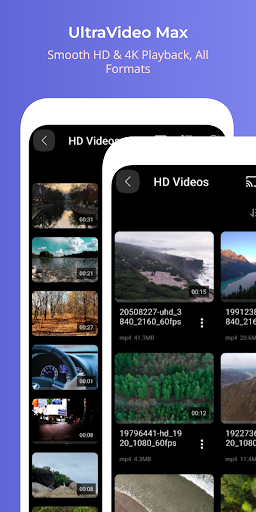


Perfect video player with video all format, all codec.
Meet 'Video Player All Format', available for free, right now! ◼︎ All-in-one video player - Video Player: Smooth switching between full screen videos, mini videos and preview videos - Floating(PIP) player: PIP player with progress bar - Subtitle Player: Multilingual and all subtitle formats(SRT, SMI, SUB, VTT, etc) - Everything is free! ◼︎ All media formats and codecs - All video resolutions - SD, VGA, DVD, HD, Full HD, UHD, 2K, 4K, 720p, 1080p, 2160p, 10bit etc. - All video formats - MKV, MP4, 3GP, AMV, ASF, AVI, FLV, MOV, MPEG, MPG, OGV, RM, RMVB, TS, VOB, WebM, WMV etc. - All video codecs - H265, H264, HEVC, MPEG, VP6, VP7, VP8, VP9, WMV, x265, x264, DivX, Xvid etc. - All audio codecs - AC3, AAC, MP3, MP2, AMRNB, FLAC, APE, OPUS, VORBIS, APE, WMA, WAV etc and DTS, EAC3, TrueHD other external codecs. ◼︎ Video function - Supports SDcard and USB(OTG) - Hardware(HW), software(SW), HW+SW(HW+) decoder priority settings - Background playback(audio mode) - Audio equalizer: 7 presets including custom, normal, rock, jazz, classical, dance, pop music etc. - Slow motion(0.5x~), fast motion(~4x) playback speed - Set double tap navigation interval(seconds) - Brightness, volume, mute - Fill, optimal fit, video fit, optimal crop, 21:9, 16:9, 4:3, 1:1 etc screen ratio - Zoom in/move screen to 500% - Random, repetition, AB section repetition - Landscape/Portrait automatic and manual screen switching - Video embedded audio(multilingual) track - One touch auto audio sync - Subtitle sync - Select subtitle file saved on the device - Video external/internal(multilingual) subtitle track - Screen left/right reverse playback - Screen capture - Sleep timer - Select all and AB sections - Function order sorting - File share - Info etc. - Everything is free! ◼︎ Video gestures - Playback speed: Two fingers up/down on the screen and long-touch(play button) default - Pause/Resume: Double tap in the center of the screen - Volume: Top/bottom right of screen with one finger - Brightness: Top/bottom left of screen with one finger - Double tap navigation: Double tap left/right of the screen - Navigation: One finger screen left/right - Screen zoomin/move: Pinch zoom-in/out, double tap(default) Permissions: DIIX needs permission on the following categories READ EXTERNAL STORAGE (mandatory) - is required in order to read your file on sdcard WRIET_EXTERNAL STORAGE (mandatory) - is requried in order to modify your files for renaming or deleting - is required in order to be secure your files for secret mode DRAW On OTHER APP (optional) - is required in order to run pop-up (pip) player
2 years on Google Play
This app isn't currently appearing in any tracked top charts.