
Safe Uninstaller - Premium
Updated Jul 31, 2026 · v1.0.12




Uninstall apps efficiently. Handy tool to list, analyze, remove multiple apps
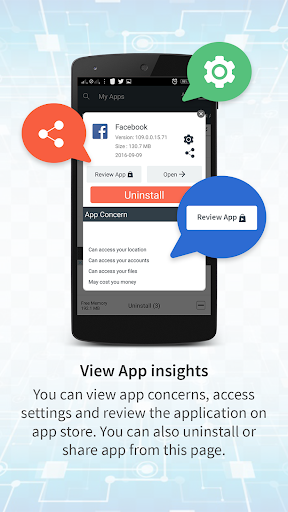
Easy, reliable and handy uninstaller tool for your android phone. Free up storage by deleting apps and unused APK files. Features: App History for reinstall deleted apps User Installed and System Apps Search Installed Apps and System Apps Sort by Large-small size, name and latest installation time. Multiple or single app removal with confirmation Suggest venerability of apps Open apps or review any app on play store Night mode view Uninstall App, Remove apps, Delete Apps Description Safe Uninstaller is tool for deletion of unused applications to get more space available. It allow multiple app deletion on single button click. The additional details of application size such as code, cache and data will help you decide on uninstallation. You can also reinstall deleted apps from recycle bin. You can choose to delete apk files. Recycle bin will store all deleted apps for a quicker installation again without need to download from google play. Frequently Asked Questions Q: How to uninstall single or multiple apps? Check the apps that you want to uninstall and click on uninstall button at bottom. You can also uninstall individual app by clicking delete icon. Q: Why can't I see uninstall option on system apps? System apps are pre installed on phone by manufacturer. It can't be uninstalled but you can reduce memory by clicking on system app -> Storage -> Clear Data. Q: I see 'Safe Uninstaller' icon on notification bar all the time. How can I remove it? You can disabled by unchecking on 'Always Show on Notification Window' Q: Why does uninstalled app goes to Recycle folder instead of clean uninstall? You have option to backup apk file to Recycle Bin in order to avoid accidental uninstallation. You can alway enable or disable option from Menu -> Settings option. Q: What is night mode? App allow dark graphics for night viewing which is easier to read for human eyes. Auto option will automatically set night mode based on current time. Q: How does Uninstall History works? You can see reference to app uninstalled using this application and respective dates. You can reinstall any app from app store directly. Q: Why can't I see some of the app installed on my phone? You can press on 'Reload Apps' button under menu to load fresh installed apps.
9 years on Google Play
This app isn't currently appearing in any tracked top charts.